Install Low Voltage LED Strip Lights Without Overloading ...
- 时间:
- 浏览:46
- 来源:Easy Home Repair & DIY Guides
H2: Why Your LED Strip Lights Keep Tripping the Breaker (And How to Stop It)
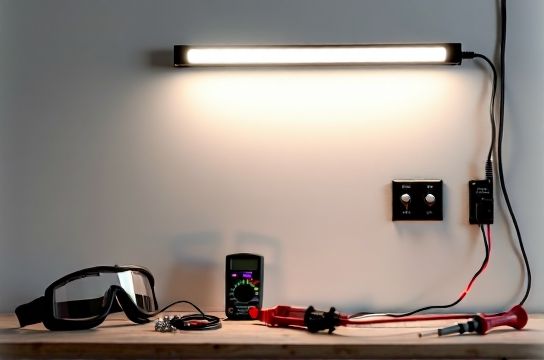
You’ve bought a sleek 24V LED strip kit—maybe for under-cabinet lighting or accenting your bookshelf. You plug in the included 3A power supply, turn it on… and *pop*—your kitchen breaker trips. Or worse: nothing happens at first, but after 20 minutes, the lights dim, flicker, then go dark while the transformer gets warm to the touch.
This isn’t faulty gear. It’s a classic mismatch between load, wiring, and protection—especially common when DIYers treat low-voltage lighting like plug-in lamps. Unlike 120V fixtures, low-voltage LED strips don’t connect directly to household circuits. They rely on DC power supplies (transformers), and those supplies must be sized, wired, and distributed correctly—or you’ll overload upstream circuits, risk fire-rated insulation damage, or violate NEC Article 411 and 725 (Updated: April 2026).
Let’s fix it—not with theory, but with what works in real apartments, condos, and older homes where outlets share circuits with refrigerators, microwaves, and HVAC controls.
H2: The 3-Step Load Check (Do This Before You Unspool One Inch)
Skip this, and you’ll waste time troubleshooting flicker or resetting breakers. Do it right, and your install takes <90 minutes—even if you’ve never used a multimeter.
Step 1: Identify Your Circuit’s Real Capacity
Most bedrooms and living rooms run on 15A circuits. But NEC Table 210.21(B)(2) says you shouldn’t load more than 80% of that continuously—so 12A max (1,440W at 120V). That sounds like plenty—until you realize your smart switch, Wi-Fi hub, and wall clock are already using ~35W. A typical 120V outlet strip daisy-chained with three devices can pull 200–400W before you even add lighting.
So: Unplug *everything* on that circuit except one lamp. Flip the breaker on. Use a $12 Kill A Watt meter (or similar) to measure baseline draw. Write it down. Then add up the wattage of *all* planned loads—including your LED strip’s power supply input rating (not its LED output!).
Example: A 5m roll of 24V, 14.4W/m strip draws 72W *at the strip*. But its 24V/6A power supply pulls ~85W *from the wall* (due to ~85% efficiency). Add a smart switch (~3W), a USB charger (~5W), and your clock (~2W): total = 95W. That’s fine on a 15A circuit—but only if nothing else is running.
Step 2: Match Power Supply to Strip Length & Density
LED strips come in two common densities: 30 LEDs/m (standard) and 60 LEDs/m (high-output). Their wattage per meter differs:
• 30 LEDs/m, 24V: 7.2–9.6 W/m (Updated: April 2026) • 60 LEDs/m, 24V: 14.4–19.2 W/m (Updated: April 2026)
Never assume “the bigger supply is safer.” Oversizing causes poor voltage regulation and early driver failure. Undersizing causes thermal shutdown or brownout flicker.
Rule of thumb: Size your power supply at 120% of your *total strip wattage*, with headroom for ambient heat (e.g., enclosed channels or cabinets). For 5m of 60-LED/m strip: 5 × 16W = 80W → choose a 100W (24V/4.2A) supply—not 200W.
Step 3: Verify Wire Gauge and Run Length Limits
Low-voltage DC suffers from voltage drop far more than 120V AC. At 24V, even 10ft of 22 AWG wire can drop 0.8V—enough to dim the far end of a 16ft strip by 15%. NEC doesn’t regulate low-voltage wiring *inside* drywall, but UL 2353 and manufacturer specs do.
Maximum recommended runs (for <3% voltage drop):
• 22 AWG: up to 10 ft (single run) • 18 AWG: up to 25 ft (single run) • 16 AWG: up to 50 ft (single run)
If your strip exceeds these, use parallel feeds (power injected at both ends) or segment with multiple supplies—never extend with thin speaker wire or stranded lamp cord.
H2: Wiring Smart Switches With Low-Voltage Lighting (Without Confusing Neutral Wires)
Many renters and new homeowners try to control LED strips via smart switches—only to find flickering, phantom powering, or failed pairing. Here’s why: most smart switches need a neutral wire to power their internal radios. But low-voltage strips run *after* the transformer—so the switch only interrupts the 120V input to the supply, not the 24V output.
That means: • If your smart switch lacks neutral (e.g., Lutron Caseta PD-6ANS), it steals power through the load—unstable with low-wattage transformers. • If you wire it without checking transformer compatibility, the supply may hum, overheat, or fail within weeks.
✅ Safe solution: Use a neutral-requiring smart switch (e.g., TP-Link HS220, Leviton DW15S) wired *before* the transformer—and confirm the transformer is marked “switchable” (most Mean Well LPV/LRS series are; cheap no-name units often aren’t).
❌ Unsafe shortcut: Using a smart plug to control the transformer. While functional, it violates NEC 400.8(1) if the plug is concealed behind furniture or inside cabinets—and voids UL listing.
Pro tip: If your box has no neutral (common in pre-1985 homes), skip the smart switch. Use a $25 RF remote + receiver module wired *on the 24V side*. It’s code-compliant, reliable, and avoids neutral-hunting altogether.
H2: Fixing Flicker, Dimming, and Intermittent Failure
Lights that pulse, fade, or cut out mid-use almost always trace to one of three causes:
1. **Undersized or overloaded power supply** — Signs: warm casing, high-pitched whine, dimming after 10+ minutes. Fix: replace with correctly rated unit and verify input voltage (some supplies derate above 125V—common during summer grid strain).
2. **Poor connections at solder points or connectors** — Especially with push-in “clip” connectors. Vibration, thermal cycling, and oxidation loosen them. Fix: desolder and reflow joints, or use screw-terminal blocks rated for 24V DC (e.g., Phoenix Contact MSTB 2.5/2-G-5.08).
3. **Shared neutrals or AFCI/GFCI interference** — Modern breakers trip on tiny leakage currents. Cheap LED drivers emit noise that mimics arcing. Fix: install a ferrite choke (2–3 wraps) on the 120V input cable near the supply, or upgrade to an EMC-compliant driver (look for EN 55015 Class B certification).
H2: Renters & Remodelers: Code-Safe Upgrades That Won’t Get You Evicted
Landlords and property managers routinely reject LED strip installs because of fire-code concerns—especially in multi-family dwellings. But you *can* do it legally:
• Use only UL-listed power supplies and strips (look for the full UL 2353 mark—not just “UL Recognized” or CE). • Never staple or tape low-voltage wire to 120V cables. Maintain 2-inch separation unless bundled in listed conduit. • For ceiling-mounted strips (e.g., cove lighting), mount only to non-combustible surfaces—or use UL-listed aluminum channels with integrated thermal cutoffs. • Avoid adhesive-backed strips in kitchens/bathrooms unless rated IP65+ and installed per manufacturer spacing rules (e.g., ≥3mm gap from cabinets to allow airflow).
If you’re doing a full room refresh—including吸顶灯更换安装,智能开关接线,空开跳闸复位,调光开关布线,led节能灯升级,吊扇固定安装,插座面板替换,灯光闪烁排查,家庭用电安全,低压灯带安装,插头转换器使用,租客灯具改造—review our complete setup guide for step-by-step photos, NEC citation references, and landlord-friendly documentation templates.
H2: When to Call a Licensed Electrician (No Shame in This)
Some jobs are DIY-safe. Others carry liability, insurance, and code consequences you shouldn’t shoulder alone:
✔️ Safe DIY: Replacing a plug-in transformer, adding a 24V receiver behind existing trim, installing battery-powered remote kits.
⚠️ Consult first: Running new 120V circuits, replacing a main panel breaker, installing hardwired 24V drivers inside walls or ceilings.
❌ Call licensed pro: Any work involving service panels, subpanels, aluminum wiring, knob-and-tube retrofits, or shared neutral corrections.
Remember: In 28 states (including CA, NY, TX), unpermitted electrical work voids homeowner’s insurance for fire-related claims—even if the work itself didn’t cause the fire (Updated: April 2026).
H2: Comparison: Power Supply Options for Common Install Scenarios
| Use Case | Recommended Supply | Max Strip Length (60 LED/m) | Key Pros | Key Cons | Approx. Cost (2026) |
|---|---|---|---|---|---|
| Renter-friendly, no tools | Mean Well LPV-60-24 (60W) | 3.5 m | UL-listed, fanless, 5-year warranty | No dimming; fixed output | $42 |
| Dimmable under-cabinet | Triac-dimmable LRS-100-24 (100W) | 6 m | Works with standard leading-edge dimmers | Requires compatible dimmer (e.g., Lutron DVCL-153P) | $58 |
| Whole-room cove lighting | Mean Well HLG-150H-24 (150W) | 9 m (with parallel injection) | IP67, constant current mode, programmable | Needs mounting hardware; overkill for small jobs | $94 |
| Budget starter kit | No-name 120W supply (unbranded) | 7 m (but derates >40°C) | $19 price point | No UL listing; frequent failures; no thermal protection | $19 |
H2: Final Checklist Before Power-On
Before flipping the breaker back on:
☐ Confirm all wire nuts are tight (no exposed copper beyond 1/8 inch) ☐ Verify polarity: red = +24V, black = common (reversed polarity kills most LED drivers instantly) ☐ Test continuity from supply output to first strip segment with multimeter (should read <0.5Ω) ☐ Ensure no metal channels or mounting rails contact bare 120V wires ☐ Label the circuit breaker “LED STRIP SUPPLY – DO NOT OVERLOAD” with permanent marker
If the breaker trips immediately: disconnect the supply output and test input only. If it still trips, the issue is upstream (faulty switch, shorted outlet, wet junction box). Don’t bypass the breaker—call a pro.
H2: Bottom Line—Safety Isn’t Optional, It’s Built In
Low-voltage LED strips are among the safest lighting upgrades you can make—if installed correctly. They run cool, use less energy than incandescents (up to 90% less), and eliminate shock risk at the fixture level. But safety starts long before the first strip sticks to the wall: at the panel, in the wire choice, and in respecting the limits of your home’s infrastructure.
Treat the 120V side like any other circuit: size it, protect it, label it. Treat the 24V side like precision electronics: respect polarity, minimize drop, avoid vibration. And when in doubt—pull the breaker, double-check the spec sheet, and consult the full resource hub.
Because the goal isn’t just working lights. It’s lights that last 10+ years, pass inspection, keep your insurance valid, and let you focus on what matters: enjoying your space—not resetting breakers.