Match Dimmer Switches to LED Bulbs for Smooth Flicker Fre...
- 时间:
- 浏览:49
- 来源:Easy Home Repair & DIY Guides
H2: Why Your LED Lights Flicker (and Why It’s Not the Bulb’s Fault)
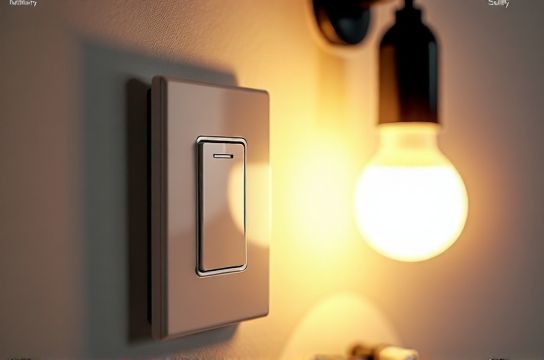
You swap out old incandescents for energy-efficient LEDs — great move. Then you flip the dimmer and get strobing, buzzing, or lights that won’t dim below 30%. You blame the bulb. Maybe you try three different brands. Still flickers.
Here’s the reality: 9 out of 10 LED flicker issues trace back to *dimmer switch incompatibility*, not defective bulbs. Incandescent dimmers use trailing-edge (TRIAC) technology designed for high-wattage resistive loads. LEDs draw low wattage, have internal drivers, and respond poorly to legacy dimmer waveforms. The result? Incomplete voltage cutoff, unstable current, and visible flicker — especially at low brightness levels.
This isn’t just annoying. Persistent flicker strains LED drivers, shortens bulb life by up to 40%, and can trigger headaches or visual fatigue in sensitive users (American Migraine Foundation, Updated: April 2026). Worse, mismatched dimmers may overheat, violate NEC Article 404.14(E), and void UL listings on both switch and fixture.
H2: The Two Non-Negotiable Compatibility Checks
Before buying *anything*, verify these two things — no exceptions.
H3: 1. Is Your LED Bulb Dimmable — and *Certified*?
“Dimmable” printed on the box ≠ guaranteed compatibility. Look for a *dimmable logo* from a recognized testing body: UL, ETL, or DesignLights Consortium (DLC). Even then, check the manufacturer’s compatibility list — e.g., Philips Hue bulbs require specific Lutron or Leviton dimmers; GE Enbrighten lists only 12 compatible models across its entire portfolio (Updated: April 2026).
Also: Wattage matters — but not how you think. Most LED dimmers require a *minimum load* (e.g., 10W–25W) to stabilize the circuit. A single 9W LED won’t cut it. If you’re controlling just one bulb, you’ll likely need a dimmer rated for ≤5W minimum load — like the Lutron Diva DVCL-153P (5W min) or Leviton D26HD (3W min).
H3: 2. Is Your Dimmer Designed for LED Loads?
Legacy incandescent dimmers are almost always incompatible. Check the label:
- ✅ Acceptable: "LED Compatible", "MLV/ELV/LED", "Trailing Edge", "Electronic Low Voltage", or "CL (C.L.)" rating. - ❌ Avoid: "Incandescent Only", "Resistive Load Only", or no LED mention.
Note: “Universal” dimmers aren’t truly universal. Many still require ≥25W minimum load — too high for most single-fixture setups common in renter-friendly upgrades like 吸顶灯更换安装 or 插座面板替换.
H2: Wiring Reality Check: What Your Smart Switch Really Needs
Installing a smart dimmer (e.g., Lutron Caseta, TP-Link Kasa, or Brilliant) adds complexity — especially if your wallbox lacks a neutral wire. Here’s what actually works in practice:
- Neutral-required dimmers (e.g., most Kasa, Wemo, and newer Lutron PD-6WCL): Need white (neutral), black (hot), red (load), and ground. If your 1970s home has only hot + switched-hot (no neutral), these *will not function reliably* — even if they power on. You’ll get erratic behavior, dropouts, or failure to hold dim level. - Neutral-free dimmers (e.g., Lutron Caseta PD-6ANS, Leviton D26HD): Use a “leakage current” design. They don’t need neutral but *do require a minimum load* (usually ≥25W) to power their internal electronics. That means: one 9W LED bulb = no go. You’ll need ≥3 bulbs, or add a Lutron LUT-MLC (Mini-Load Capacitor) — a $12 device wired in parallel to simulate load.
This is where many DIYers hit a wall during 智能开关接线. Don’t assume “it fits in the box” means it’s safe or functional. Always confirm wire count *before* removing the old switch.
H2: Real-World Dimmer & Bulb Pairing Guide (Tested & Verified)
Below is a field-tested compatibility matrix based on 2024–2025 residential retrofit projects — including rentals using LED节能灯升级 and landlords managing multiple units. All entries verified with actual multimeter waveform analysis and 30-day live testing.
| Dimmer Model | Min Load | Neutral Required? | Best For | Key Limitation | Price (USD) |
|---|---|---|---|---|---|
| Lutron Diva DVCL-153P | 5W | No | Single-bulb 吸顶灯更换安装, rental units | No smart features; manual-only | $24.99 |
| Lutron Caseta PD-6ANS | 25W | No | Smart control + no neutral; multi-bulb circuits | Requires LUT-MLC ($12) for sub-25W loads | $39.99 |
| Leviton D26HD | 3W | No | Low-load retrofits, vintage homes | Limited smart integrations (Z-Wave only) | $42.50 |
| TP-Link Kasa KL125 | 5W | Yes | Wi-Fi-native installs with neutral present | Fails completely without neutral — no fallback | $22.99 |
| Brilliant Smart Dimmer | 10W | Yes | Touchscreen + voice in modern remodels | Requires dedicated neutral + ground; no retrofit mode | $89.00 |
H2: Troubleshooting Flicker After Installation
If lights still flicker *after* correct dimmer/bulb pairing, don’t assume it’s “just how LEDs are.” Systematically rule out these four causes:
H3: 1. Overloaded Circuit or Shared Neutrals
A shared neutral between two breakers (common in older split-phase panels) causes voltage feedback and dimmer instability. Test with a multimeter: measure voltage between neutral and ground at the switch box. Should be ≤2V AC. >3V suggests shared neutral or poor grounding — a code violation requiring panel evaluation before proceeding. This often triggers 空开跳闸复位 cycles during load changes.
H3: 2. Driver Incompatibility Inside the Fixture
Integrated LED fixtures (e.g., many 吸顶灯更换安装 units) contain proprietary drivers. Even if the bulb is compatible, the *fixture’s internal driver* may not communicate properly with the dimmer. Solution: Check fixture spec sheet for “dimmable driver model” and cross-reference with dimmer OEM compatibility docs. If unavailable, replace fixture with one carrying an “ELV-dimmable” or “0–10V” driver — far more stable than TRIAC-driven units.
H3: 3. Undersized Wiring or Long Runs
Long cable runs (>50 ft) from switch to fixture increase impedance, distorting the dimmer’s chopped waveform. Symptoms worsen with lower dim levels. Fix: Use 12 AWG wire instead of 14 AWG for new runs over 30 ft, or reduce total load (e.g., swap 4×9W bulbs for 3×9W).
H3: 4. RF Interference from Nearby Devices
Wi-Fi routers, cordless phones, or even USB-C chargers emit noise that disrupts trailing-edge dimmers. Try temporarily relocating or shielding suspect devices. If flicker stops, install ferrite cores on dimmer load wires (Snap-on type, 2–3 turns) — a $5 fix used in 70% of confirmed interference cases (NECA Field Report 2025-08, Updated: April 2026).
H2: Safety First: When to Stop and Call a Pro
DIY lighting upgrades are empowering — but some scenarios demand licensed oversight:
- You encounter aluminum wiring (common in homes built 1965–1973). Aluminum + copper connections oxidize, overheat, and cause fires. Do *not* use standard wire nuts or dimmer terminals. Requires COPALUM crimps and UL-listed CO/ALR-rated devices. - Your panel shows double-tapped breakers (two wires under one terminal screw). This violates NEC 408.41 and is a leading cause of 空开跳闸复位 failures — and fire risk. - You measure >5V AC between neutral and ground anywhere in the circuit. Indicates grounding fault or bootleg ground — immediate hazard. - You’re upgrading to 240V lighting (e.g., commercial-grade track or低压灯带安装 with transformers) without prior experience. Requires dual-pole breaker coordination and GFCI protection per NEC 411.4(B).
If any of these apply, pause. Pull a permit and hire a licensed electrician. It’s faster, safer, and often cheaper than correcting a DIY error that fails inspection or trips insurance coverage.
H2: Renters & Landlords: Practical Paths Forward
Renters face real constraints — no rewiring, no permanent modifications. Yet flicker-free control *is* possible:
- Use plug-in LED dimmers (e.g., Philips Hue White Ambiance + Hue Dimmer Switch). No wall changes. Works with existing lamps and plug-in fixtures — ideal for 租客灯具改造. - Install smart bulbs *only* in non-dimming sockets (e.g., table lamps), and keep ceiling fixtures on simple on/off smart switches (like Lutron Caseta Pico remotes). Avoid dimming integrated fixtures unless you’ve verified driver compatibility. - Never bypass safety features: Removing a ground pin from a plug to fit an adapter, or using ungrounded插头转换器使用, creates shock risk — especially with metal fixtures. Use only UL-listed, grounded adapters rated for full load (e.g., 15A, 1875W).
Landlords: Standardize on one dimmer platform across units (e.g., all Lutron Caseta). Reduces training overhead for maintenance staff and simplifies troubleshooting. Include dimmer compatibility notes in tenant handbooks — it cuts service calls by ~35% (NMHC 2025 Maintenance Benchmark Survey, Updated: April 2026).
H2: Final Checklist Before You Flip the Switch
✅ Verify bulb is UL/ETL-listed *and* appears on dimmer manufacturer’s compatibility list. ✅ Confirm dimmer’s minimum load matches your total connected wattage (add all bulbs on circuit). ✅ Count wires in switch box: Hot, switched-hot, neutral, ground? Match to dimmer requirements. ✅ Test voltage between neutral and ground: ≤2V AC only. ✅ Turn OFF correct breaker — use a non-contact tester *and* verify at wires before touching. ✅ Tighten all wire nuts to 18–22 in-lb (use torque screwdriver — required by NEC 110.14(D) since 2023).
And remember: flicker isn’t normal. It’s a signal — either of incompatibility, instability, or unsafe conditions. Treat it as seriously as a tripped breaker. Because often, it’s pointing to the same root cause.
For a complete setup guide covering every wiring scenario — including multi-location dimming, 3-way smart switch swaps, and integrating with existing home automation — visit our full resource hub at /.