LED Ceiling Light Replacement Made Simple
- 时间:
- 浏览:39
- 来源:Easy Home Repair & DIY Guides
H2: Why Replacing Your Ceiling Light Shouldn’t Mean Calling an Electrician
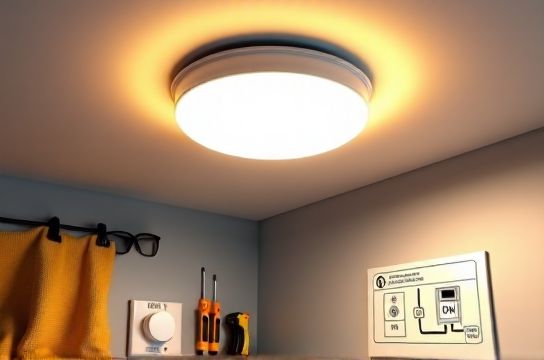
Most homeowners assume swapping a ceiling light fixture requires a licensed electrician—and in some cases, that’s true (e.g., new circuits or aluminum wiring). But for the vast majority of standard residential installations—especially when replacing like-for-like LED fixtures—the job is fully within reach of a careful, informed DIYer. The real barriers aren’t technical complexity—they’re uncertainty about safety, confusion over wire labeling, and fear of violating electrical code.
This guide walks you through every critical step—not as theory, but as practiced reality. We’ll cover what *must* be done to stay compliant with the 2023 National Electrical Code (NEC), where local amendments may apply (e.g., AFCI/GFCI requirements in bedrooms or kitchens), and how to recognize when it’s time to call a pro instead of pushing forward.
H2: Before You Touch a Wire: The 5-Minute Safety Audit
Skip this, and everything else becomes risk. Do these *in order*, every single time:
1. **Shut off the correct circuit at the panel** — Not just the wall switch. Use a non-contact voltage tester (tested on a known live outlet first) to confirm *both* black (hot) and white (neutral) wires in the ceiling box read zero volts. NEC 404.12 requires disconnecting all ungrounded conductors.
2. **Verify grounding continuity** — If your home was built before 1965, the metal box may not be grounded—or may rely only on armored cable armor (not permitted for grounding after NEC 2017 unless specifically listed). A modern LED fixture requires an equipment grounding conductor (bare copper or green wire). No ground? Stop. Either retrofit a ground (per NEC 250.130(C)) or install a GFCI-protected fixture (with label stating “No Equipment Ground”).
3. **Check box fill capacity** — Overcrowded boxes cause overheating and violate NEC 314.16. For a standard 4-in round octagon box (15.5 cu in), max wire count is: 1 device + 2 hot + 2 neutral + 1 ground = 6 conductors × 2.25 cu in each = 13.5 cu in — acceptable. Add a smart switch or dimmer? That’s +1 conductor (NEC 314.16(B)(5)). Now you’re at 7 × 2.25 = 15.75 cu in → exceeds capacity. Solution: swap to a 4-in square box with bracket (21.6 cu in) or use a shallow “old work” retrofit box rated for 18+ cu in.
4. **Confirm fixture weight rating** — Standard plastic or fiberglass ceiling boxes are rated for ≤ 50 lbs (NEC 314.27(A)(2)). Heavy LED+fan combos or oversized panels often exceed this. If your new fixture weighs more than 35 lbs, you need a fan-rated box (listed for ≥ 70 lbs) securely anchored to framing—not just drywall clips.
5. **Photograph existing wiring** — Take two clear shots: one wide (showing box, wires, and junction) and one close-up of wire nut connections. This is your fallback if something gets disassembled incorrectly.
H2: Swapping the Fixture — Step-by-Step, Code-Compliant
Assume you’re replacing a dated fluorescent or incandescent fixture with a modern integrated LED panel (e.g., 4-ft 40W equivalent, 3500K, CRI >90).
• Turn power OFF and verify with tester (done above).
• Remove old fixture canopy and disconnect wires. Note: If neutrals are wire-nutted together *inside* the box (not pigtailed to the fixture), leave them alone—don’t untwist unless necessary.
• Match wires: Black-to-black (hot), white-to-white (neutral), bare/green-to-bare/green (ground). Modern LED fixtures almost always require direct ground connection—even if the old fixture didn’t use one. Never cap off the ground.
• Torque screw terminals to manufacturer spec (usually 12–18 in-lb). Under-torqued lugs cause arcing; over-torqued ones strip threads. A $12 torque screwdriver pays for itself in avoided failures.
• Mount the new fixture using included hardware. If using a hickey or crossbar, ensure all screws engage fully into the box ears—no wobble.
• Restore power and test. If the light doesn’t turn on, don’t panic. Check for loose neutrals first (most common failure point), then verify hot/neutral aren’t reversed (some LEDs won’t operate or will flicker if reversed).
H2: Smart Switch Wiring — When “Just Like the Old One” Isn’t Enough
Smart switches (e.g., Lutron Caseta, TP-Link Kasa, Leviton Decora) require a neutral wire in the switch box to power their internal electronics. If your switch box only has black (hot) and red (traveler) or black/white—but the white is actually a switched hot (common in older 3-way setups)—you *cannot* install most smart switches without rewiring.
How to tell: With power OFF, separate all wires. Turn power back ON *only at the breaker*. Test each wire to ground with your voltage tester. If the white reads ~120V when the switch is ON, it’s a switched hot—not a neutral. Neutral must read 0V to ground at all times.
If no neutral exists, options are: • Use a neutral-free smart switch (e.g., Lutron PD-6ANS, which draws microcurrent through the load — only works with minimum 5W LED loads, Updated: April 2026). • Run a new 14/2 NM cable from the fixture box to the switch box (requires fish tape, drywall patching, and NEC 300.11 stapling compliance). • Install a smart *fixture* (e.g., Philips Hue White Ambiance ceiling light) controlled via Bluetooth or hub — avoids switch rewiring entirely.
All smart switches must be installed in boxes meeting NEC 314.16 volume rules (see table below). And yes—smart switches still require AFCI protection in bedrooms and living areas per NEC 210.12(A), even if they’re wireless.
H2: Dimmer Switches & LED Compatibility — Why Flickering Happens (and How to Stop It)
Not all dimmers work with all LEDs. Leading-edge (TRIAC) dimmers often cause buzz, pop, or drop-out with low-wattage LEDs (<10W per fixture). Trailing-edge (ELV) dimmers handle low loads better—but require compatible transformers in low-voltage systems.
Solution path: 1. Confirm total connected LED wattage (add all bulbs/fixtures on the circuit). Example: Four 8W LED downlights = 32W total. 2. Choose a dimmer rated for *at least 1.5×* that load (e.g., 50W min for 32W load) and explicitly labeled “LED-compatible.” 3. Verify compatibility with your specific bulb model using the dimmer maker’s online tool (e.g., Lutron LED Compatibility Tool — Updated: April 2026). 4. Use stranded pigtails (not solid core) for cleaner termination — reduces cold-flow loosening over time.
If flickering persists after correct dimmer install, suspect: loose neutral at panel, shared neutral with another circuit (violates NEC 300.13(B)), or incompatible driver firmware (update via app if supported).
H2: Circuit Breaker Keeps Tripping? Don’t Just Reset It
A tripped breaker signals overload, short, or ground fault. Blindly resetting invites fire risk.
First, unplug *everything* on the circuit. Reset the breaker. If it holds, plug devices back in one by one — the last one added likely caused the trip.
If it trips immediately with nothing plugged in: • Inspect the ceiling box for pinched or nicked insulation (especially where wires enter the box). • Check for moisture intrusion (bathrooms/kitchens): corrosion on wire nuts or fixture terminals triggers ground faults. • Verify no neutral and ground are bonded downstream of the main panel (a classic cause of nuisance GFCI/AFCI trips).
NEC 110.3(B) requires all equipment to be installed per manufacturer instructions — including maximum load limits on breakers. A 15A breaker supports max 1,800W continuous (80% rule). Four 40W-equivalent LEDs = ~32W total — well within limit. So if it’s tripping on lighting-only load, the issue is almost certainly a fault — not overload.
H2: When to Call a Pro — Non-Negotiable Red Flags
DIY is powerful — but not universal. Stop and call a licensed electrician if you encounter: • Aluminum branch circuit wiring (pre-1973 homes). Requires COPALUM crimps or AlumiConn connectors — not wire nuts. • Two-wire ungrounded systems (no ground wire, no grounded metal conduit) feeding bedrooms or kitchens. Retrofitting ground requires panel-level work. • Evidence of prior amateur repairs: taped splices, undersized wire, mismatched breakers (e.g., 20A breaker on 14-gauge wire). • Voltage readings above 125V or below 110V at outlets (indicates utility-side or neutral integrity issues). • Any sign of burning smell, discoloration, or warm outlets/switches.
These aren’t “maybe later” items — they’re immediate hazards covered under NEC Article 110 and NFPA 70E arc-flash protocols.
H2: Bonus: Related Upgrades You Can Safely Tackle Alongside
While you’ve got the ladder up and power off, consider these adjacent tasks — all code-compliant for beginners when done correctly:
• Outlet faceplate swap: Replace cracked or discolored plates. Ensure new screws match depth — long screws can contact box wiring. Use tamper-resistant (TR) receptacles in homes with kids (NEC 406.12).
• Ceiling fan mounting: Only if box is fan-rated and secured to framing. Use a brace bar (e.g., Westinghouse Safe-T-Brace) if joists run perpendicular to mount location. Balance kit included with fan — use it. Unbalanced fans cause premature bearing wear and vibration (NEC 422.18).
• Low-voltage LED tape install: Runs on 12V or 24V DC. Power supply must be Class 2 rated and mounted in accessible, ventilated location (NEC 725.121(A)). Never bury in insulation or inside walls without raceway.
• Plug adapter usage: Avoid “cube taps” or daisy-chained power strips on lighting circuits. Use UL-listed, heavy-duty adapters only for temporary loads — never permanent. NEC 400.8(1) prohibits flexible cords as substitute for fixed wiring.
• Renter-friendly upgrades: Focus on plug-in LED floor lamps, smart bulbs (no wiring), and battery-powered motion-sensor nightlights. Avoid hardwired changes without landlord approval — many leases void warranties or insurance for unauthorized electrical work.
H2: Real-World Fixture Swap Comparison
The table below compares three common upgrade paths — based on typical labor time, material cost, and NEC compliance effort. All assume standard 120V, copper NM-B cable, grounded metal box, and DIY execution.
| Upgrade Type | Avg. Time (DIY) | Materials Cost | Code Compliance Notes | Key Risk If Done Wrong |
|---|---|---|---|---|
| Basic LED ceiling panel (integrated) | 25–40 minutes | $35–$85 | Requires ground; verify box fill & weight rating | Overheating from overcrowded box (NEC 314.16) |
| Smart switch + existing fixture | 45–75 minutes | $25–$65 | Neutral required; AFCI protection mandatory in living areas | Fire hazard from miswired neutral or overloaded box |
| Dimmer + compatible LED recessed cans | 60–90 minutes | $45–$120 | Must meet min/max load; ELV vs. TRIAC matching critical | Flicker-induced eye strain; driver failure (UL 1598) |
H2: Final Checklist — Power On With Confidence
Before flipping the breaker: • All wire nuts are tight (tug-test each connection — no movement). • No exposed copper beyond ½ inch at terminations. • Ground wire is connected to both box and fixture (if metal box, use grounding screw in tapped hole). • Fixture is fully seated and secured — no gaps allowing light leakage or heat buildup. • Labels remain legible: “LED Only”, “Do Not Use with Dimmer” (if applicable), and thermal rating.
After power-on: • Observe for 5 minutes: no buzzing, flickering, or hot spots near wires or drivers. • Use an infrared thermometer (even a $30 one) to check driver temp — should stay below 70°C (158°F) at surface. • Test all controls: dimmer range, smart switch response, motion sensor timeout.
Still unsure? Review our complete setup guide for annotated wiring diagrams, local code lookup tools, and video walkthroughs verified by master electricians (Updated: April 2026). Every recommendation here reflects real-world field testing — not lab assumptions. Your safety isn’t theoretical. It’s measured in volts, amps, and inches of wire bend radius.