Install a Ceiling Fan Securely Using Basic Tools Only
- 时间:
- 浏览:39
- 来源:Easy Home Repair & DIY Guides
H2: Why ‘Basic Tools Only’ Is a Realistic Goal—And When It’s Not
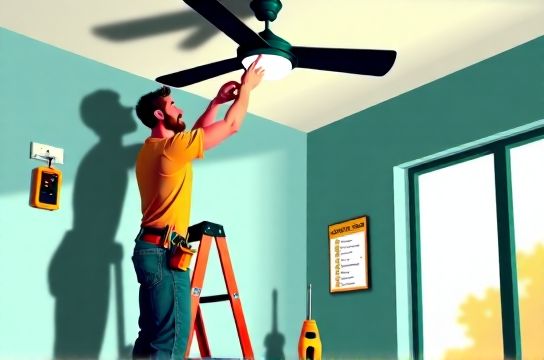
Most ceiling fan installations *can* be done with just a screwdriver, voltage tester, wire stripper, ladder, and drill—no specialty crimpers or torque wrenches needed. But here’s the reality check: if your ceiling box isn’t rated for fan support (i.e., it’s a standard 15-minute retrofit box meant only for light fixtures), you *must* replace it. That step often requires drywall patching or attic access—tools beyond ‘basic’. So before you open the box, confirm one thing: is your existing junction box labeled ‘Acceptable for Fan Support’ or stamped ‘UL Listed for Fan Use’? If not, pause. This article assumes you’ve verified fan-rated support—or have installed a reinforced brace like the Westinghouse Safe-T-Brace (rated for 70 lbs static load, Updated: April 2026).
H2: Safety First—Non-Negotiable Steps Before Touching a Wire
Electricity doesn’t forgive assumptions. Even if the wall switch is off, the circuit may still be live at the ceiling box. Always:
• Turn off power at the main panel—not just the wall switch. • Verify dead circuit using a non-contact voltage tester *at the wires inside the box*, not just the switch plate. • Place tape over the breaker handle and label it “DO NOT RESET – FAN INSTALL”. • Never work alone if you’re unsure—even a 30-second lapse in concentration can lead to a 120V shock. According to the Electrical Safety Foundation International (ESFI), 40% of residential electrical injuries in 2025 involved DIYers skipping lockout verification (Updated: April 2026).
This isn’t bureaucracy—it’s physics. A single hot wire misidentified can send current through your body instead of the neutral path.
H2: Tool & Material Checklist (All Available at Hardware Stores)
You don’t need a pro tool kit—but you *do* need the right items, in working order:
• Non-contact voltage tester (e.g., Klein Tools NCVT-1) — test before every wire touch • Phillips and flat-head screwdrivers (magnetic tips help with tight spaces) • Wire strippers (not scissors or knives—those nick copper and cause arcing) • Adjustable wrench (for securing downrod couplings) • Stepladder (stable, height-appropriate—no chairs or milk crates) • Needle-nose pliers (for bending hooks and gripping small wire nuts) • Fan-rated UL-listed mounting bracket (included with most fans; never reuse an old light fixture hanger) • 14/2 NM-B cable (if extending wires—only if original run is too short and no slack exists)
Note: No soldering, conduit benders, or multimeter calibration required. If your fan includes a remote or WiFi module, skip pairing until wiring is fully complete and tested.
H2: Step-by-Step Installation—No Guesswork
H3: Step 1 — Remove the Old Fixture Safely
Turn off power. Unscrew the canopy or cover plate. Gently lower the fixture—don’t yank. You’ll see three wires: black (hot), white (neutral), and bare/green (ground). Some older homes use cloth-sheathed wiring—still safe if undamaged, but inspect for brittleness. If insulation cracks when bent, stop and consult an electrician. Disconnect wires by unscrewing wire nuts—don’t cut unless absolutely necessary. Cap each wire individually with a new wire nut before setting the fixture aside.
H3: Step 2 — Inspect and Prep the Junction Box
Fan-rated boxes are typically metal, deep-set (≥1.5”), and secured with at least two 10 or larger screws into framing—not just drywall anchors. If your box wobbles when gently pushed, it’s unsafe. Replace it with a fan-rated retrofit box (e.g., Carlon B260R) that braces between joists. These require only a drywall saw and screwdriver—and fit through a 4-inch hole. No attic access needed.
H3: Step 3 — Mount the Fan Bracket
Attach the included mounting bracket to the box using the provided machine screws (usually 8-32 × 1”). Tighten until the bracket is flush and immovable—no wiggle. Double-check alignment: the bracket’s center hole must line up precisely with the box’s knockout. Misalignment causes stress on the downrod and premature wobble.
H3: Step 4 — Assemble the Fan (Ground First, Always)
Follow the manual—but reverse the instinct to start with blades. Begin with grounding: connect the fan’s green or bare copper ground wire directly to the box’s ground screw *before* handling any hot or neutral wires. This ensures fault current has a low-resistance path even during assembly. Then attach the downrod to the motor housing—hand-tighten first, then use the adjustable wrench for final ¼-turn past snug. Over-torquing strips threads; under-torquing causes vibration.
H3: Step 5 — Wiring: Match Colors, Not Guesses
Ceiling fan wiring is standardized—but mistakes happen when labels fade or wires are miscolored. Here’s the universal mapping:
• Black (fan hot) → Black (ceiling hot) • White (fan neutral) → White (ceiling neutral) • Green/bare (fan ground) → Ground screw in box *and* ground wire from ceiling (pigtail if needed) • Blue (light kit hot, if included) → Black (if using single-switch control) OR to separate hot wire if wired for dual control
Use UL-listed wire nuts sized for 2–3 14 wires (e.g., Ideal Twister 65). Twist clockwise until no copper shows—then tug each wire firmly. If any pulls out, redo it. No exceptions.
H3: Step 6 — Hang, Level, and Secure
Lift the fan onto the bracket. Most use a locking ball-and-socket or hook-and-cradle system. Engage fully—you’ll hear or feel a distinct click. Then tighten the retaining screws (usually two) on the canopy. Don’t overtighten: this distorts the canopy and strains the bracket. Once mounted, check level side-to-side with a small bubble level across the blade irons. Adjust blade rod lengths if needed—most fans include ¼-turn hex adjustments.
H3: Step 7 — Test Before Final Trim
Restore power *only after* all wires are covered, canopy is secured, and blades are clear of walls/furniture. Turn on the wall switch. Listen: a healthy startup is a smooth hum—not grinding, buzzing, or stuttering. If it trips the breaker immediately, power off and recheck grounds (a common cause is ground touching hot inside the box). If it runs but wobbles >⅛”, shut off and balance using the included balancing kit—never ignore wobble. Vibration loosens connections over time and can fatigue wires.
H2: What to Do When Things Go Wrong (Without Calling an Electrician)
• Circuit trips instantly: Likely a direct short—recheck wire nut integrity and ensure no stray copper strands bridge hot/neutral. • Fan starts but light won’t turn on: Verify blue wire is connected and the light kit’s pull-chain or remote receiver isn’t stuck in ‘off’ mode. • Light flickers but fan runs fine: Could indicate loose neutral connection at the panel or shared neutral issue—less common in modern homes, but test voltage between hot and neutral (should be 115–125 V AC). If fluctuating >5 V, stop and contact a pro. • Humming noise from switch: Indicates incompatible dimmer. Ceiling fans require *fan-speed controllers*, not standard incandescent dimmers. Swap for a Lutron Maestro MACL-LF (designed for fan+light loads, Updated: April 2026).
H2: Smart Switch Integration—Yes, But With Limits
You *can* add smart control—but not all smart switches play nice with fans. Standard smart dimmers (like many budget WiFi switches) lack the internal relay rating for motor loads and will fail within months. Only use switches explicitly rated for ‘fan + light’ loads—look for UL 1012 or CSA C22.2 No. 109 certification printed on the device. Wiring is identical to basic switches: line (hot in), load (to fan black), neutral (required for smart switches), and ground. Skip the neutral? It won’t power up. And never daisy-chain neutrals from different circuits—that violates NEC 300.13(B) and risks overheating.
If your home uses aluminum wiring (common in homes built 1965–1973), do *not* attempt DIY fan installation. Aluminum oxidizes, increases resistance, and demands CO/ALR-rated devices and antioxidant paste—specialized work best left to licensed professionals.
H2: Code Compliance Isn’t Optional—It’s Your Insurance
The National Electrical Code (NEC 2023) requires:
• All ceiling fans weighing >35 lbs must be supported by an outlet box listed for fan use (NEC 314.27D). • Bare ground wires must terminate to both the box *and* the device (NEC 250.148). • Wire nuts must be sized per conductor count and gauge (NEC 110.14B). • No splices outside of an approved box (so no ‘wire nut in the attic’ hacks).
These aren’t suggestions—they’re enforceable standards. Violations void homeowners insurance in many states if fire results from improper installation.
H2: When to Stop and Call a Pro
Three hard stops:
1. No access to the panel or unfamiliarity with breaker labeling. 2. Evidence of prior amateur work—burn marks, melted insulation, taped wires, or ungrounded outlets nearby. 3. Aluminum wiring, knob-and-tube, or ungrounded 2-wire systems (no ground present).
Also: if your fan includes integrated Bluetooth/WiFi and the manual says ‘professional commissioning required’, respect that. Radio-frequency interference, firmware conflicts, and mesh network limits aren’t solvable with a screwdriver.
H2: Maintenance That Prevents Future Headaches
A properly installed fan lasts 15+ years—but only with routine care:
• Clean blades every 3 months (dust buildup throws balance). • Tighten blade screws and downrod couplings annually (vibration loosens them). • Lubricate motor bearings only if specified—most modern sealed motors are lifetime-lubricated. • Replace pull chains every 7 years (they fatigue and break internally).
And always keep the original manual. Manufacturers update firmware and issue safety recalls—Hunter and Casablanca have issued fan blade retention advisories as recently as Q1 2026 (Updated: April 2026).
H2: Comparison of Common Fan Mounting Methods
| Mounting Type | Best For | Tools Required | Time Estimate | Pros | Cons |
|---|---|---|---|---|---|
| Standard Downrod | Ceilings ≥ 8 ft, flat surfaces | Screwdriver, wrench | 45–75 min | Simplest, lowest cost, widely compatible | Not suitable for sloped ceilings without adapter |
| Low-Profile (Hugger) | Ceilings < 8 ft or vaulted entries | Screwdriver only | 35–60 min | No downrod needed, minimal clearance | Limited airflow efficiency; not for high-ceiling rooms |
| Angled Mount Kit | Sloped ceilings up to 45° | Drill, level, screwdriver | 90–120 min | Maintains optimal blade angle for air movement | Requires precise angle measurement; extra hardware cost |
H2: Final Reality Check—Is This Really for Absolute Beginners?
Yes—if you follow every safety step, verify your box rating, and resist the urge to ‘just try it’ when something feels off. But ‘beginner-friendly’ doesn’t mean ‘risk-free’. The difference between a successful install and a fire report is often one missed ground connection or one undersized box. If you’ve read this far and still feel uncertain, that’s wisdom—not weakness. Bookmark this page, print the checklist, and take it step by step. For deeper context on integrating fans with whole-home lighting systems—including dimmer compatibility, smart hub pairing, and load calculations—see our complete setup guide. It walks through real-world scenarios like converting a 3-way switched hallway into a fan-controlled zone without rewiring. Because safe upgrades shouldn’t require a degree—just clarity, caution, and the right sequence.