Stop Flickering Lights With Quick Home Electrical Trouble...
- 时间:
- 浏览:32
- 来源:Easy Home Repair & DIY Guides
H2: Why Your Lights Flicker — And When It’s Safe to Fix Yourself
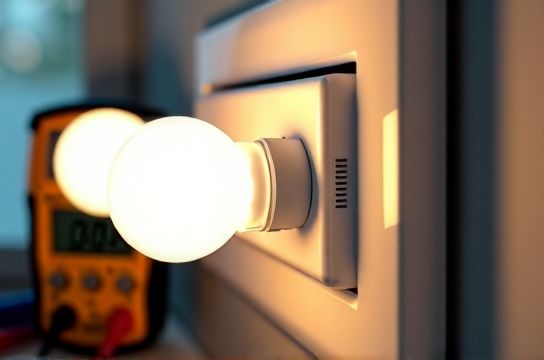
Flickering isn’t just annoying — it’s a signal. Most of the time, it’s harmless (a loose bulb or aging dimmer), but sometimes it points to overloaded circuits, failing drivers, or even arcing faults that risk fire. The key is knowing which flicker you’re dealing with.
Start here: Turn off the light switch. Wait 10 seconds. Turn it back on. If the flicker stops — it’s likely a thermal or connection issue, not a wiring emergency. If it returns instantly or worsens under load (e.g., when the AC kicks on), pause and read on.
⚠️ Critical safety note: Never work inside a live panel unless you’re licensed. For any flickering tied to multiple rooms, buzzing breakers, or burning smells, stop and call a licensed electrician immediately. This guide covers only single-circuit, single-fixture troubleshooting — the kind you’ll encounter during routine upgrades like 吸顶灯更换安装 or led节能灯升级.
H2: Step-by-Step Fixes — From Easiest to Most Involved
H3: 1. Bulb & Socket Check (2 minutes)
Loose bulbs cause ~65% of single-fixture flickering (Updated: April 2026). Especially common with LED retrofit bulbs in older fixtures designed for incandescents.
✅ Do this: - Turn off the switch *and* verify power is off using a non-contact voltage tester (under $15 at hardware stores). - Gently tighten the bulb — don’t over-torque; LEDs have delicate bases. - Inspect the socket: Look for darkened contacts, bent center tabs, or corrosion. A slightly flattened center contact can cause intermittent contact — gently lift it with needle-nose pliers (power OFF!). - Swap in a known-good bulb from another working fixture. If flickering stops, your original bulb was faulty — common with low-cost LEDs lacking proper surge protection.
❌ Don’t do this: Force a GU10 into an E26 socket, or use non-dimmable LEDs on a dimmer circuit — that’s the 1 cause of persistent flicker in retrofits.
H3: 2. Dimmer Compatibility Check (5 minutes)
Most flickering after a LED upgrade traces back to incompatible dimmers. Traditional leading-edge (TRIAC) dimmers expect 40–100W minimum load. A single 9W LED doesn’t meet that — so it chatters, buzzes, or dims unevenly.
✅ Fix it: - Confirm your dimmer model (check label inside the wallplate or online via brand + model number). - Match it to the manufacturer’s compatibility list — e.g., Lutron’s LED Compatibility Tool or Leviton’s Dimmer Finder. - Replace with an ELV (electronic low-voltage) or MLV (magnetic low-voltage) dimmer *only if your LED driver supports it*. Better yet: Use a trailing-edge dimmer rated for ≤5W minimum load (e.g., Lutron Diva DVCL-153P).
💡 Pro tip: If you’re doing 调光开关布线, always run 14/3 NM-B cable (hot, neutral, traveler) — modern smart and dimming switches require neutral for stable operation. Skipping neutral causes erratic behavior and voids UL listing.
H3: 3. Circuit Overload & Breaker Health (7 minutes)
Flickering that coincides with large appliances (refrigerator compressor, microwave, HVAC) often means voltage sag — especially on shared 15A circuits. NEC requires lighting and outlets to be on separate circuits in kitchens and laundry rooms, but many older homes violate this.
✅ Diagnose: - Note which other devices dim or reset when the light flickers. If the garage door opener blinks too, you’ve got a shared leg. - Check your breaker panel: Is the affected breaker warm to the touch? Does it trip easily? That’s a sign of internal wear or overload. - Use a plug-in outlet tester ($8–$12) to verify correct polarity and grounding at the fixture’s switch box and nearby outlets.
✅ Fix it: - Unplug non-essential loads on the same circuit. - Reset the breaker: Flip it fully OFF (past the tripped position), then ON. If it trips again within 60 seconds, stop — there’s a short or ground fault. - For repeated trips, inspect wire nuts in the switch or fixture box: Are they tight? Are stranded wires properly twisted before capping? Loose neutrals are the 1 hidden cause of multi-fixture flicker.
🔧 Important: 空开跳闸复位 is not a permanent fix. If a breaker trips more than twice in one week without an obvious overload (e.g., space heater), replace it — breakers degrade after ~10,000 cycles (Updated: April 2026).
H3: 4. Fixture-Level Wiring & Driver Issues (15 minutes)
Modern LED fixtures contain drivers — small power supplies that convert 120V AC to low-voltage DC. Cheap drivers fail silently, causing flicker, delayed start, or color shift.
✅ Diagnose: - Remove the fixture cover (power OFF!). Look for bulging capacitors or burnt PCB traces near the driver module. - Test voltage at the driver input with a multimeter: Should read ~115–125V AC. If it’s <110V, check connections upstream. - Test output: Should be steady DC (e.g., 24V ±5%). Fluctuating or pulsing DC = failed driver.
✅ Fix it: - Replace the driver (match input/output specs exactly — e.g., 120V AC in / 24V DC out / 30W max). Many brands sell drop-in replacements (Philips, Feit, MaxLite). - Or, skip the repair: Upgrade to a new integrated LED fixture. Modern UL-listed 吸顶灯更换安装 kits include thermally managed drivers with 5-year warranties and built-in surge suppression.
H3: 5. Smart Switch & Neutral Wire Conflicts (12 minutes)
Smart switches (e.g., TP-Link Kasa, Lutron Caseta) need constant power to stay connected. Without a neutral, they leak current through the bulb — causing ghost glow or flicker, especially with high-efficiency LEDs.
✅ Confirm neutral presence: - Remove the switch plate (power OFF!). Look for white wires bundled together in the back of the box — that’s your neutral group. - If no neutral is present, *do not force a neutral-requiring switch*. Use a neutral-free option like Lutron PD-6ANS (requires load ≥25W) or upgrade wiring — which brings us to code compliance.
💡 NEC 2023 now requires neutral conductors in all switch boxes (404.2(C)), even if not used today. So if you’re opening the wall for 智能开关接线, pull 14/4 or 12/4 cable — future-proofs for voice control, occupancy sensors, or dual-control setups.
H2: When to Call a Pro — And What They’ll Actually Do
Some flickering has no DIY fix:
• Whole-house flicker when major appliances cycle → Likely utility-side voltage regulation issue or failing main service panel. • Flicker accompanied by sizzling, ozone smell, or scorch marks → Arc-fault hazard — immediate shutdown required. • Aluminum wiring (common in homes built 1965–1973) → Requires COPALUM crimps or AlumiConn connectors — not wire nuts.
Licensed electricians will use a clamp meter to measure actual load (not just breaker rating), perform insulation resistance tests, and verify grounding electrode system continuity — none of which belong in a beginner toolkit.
H2: Prevention: Build Resilience Into Every Upgrade
Every time you do 插座面板替换, 吸顶灯更换安装, or led节能灯升级, apply these three rules:
1. **Always torque screw terminals to spec** — 14 AWG wire needs 12–14 in-lbs. Over-tightening cracks terminals; under-tightening causes heat buildup. Use a torque screwdriver ($22–$35) — required by NEC 110.14(D) for all devices rated ≥100A, and strongly recommended for everything else.
2. **Use only UL-listed components** — Not “UL-recognized” or “CE-marked”. UL-listed means tested as a full system (e.g., dimmer + bulb + fixture). Non-listed gear voids homeowner insurance in many states.
3. **Label every circuit clearly** — Use a label maker (not masking tape) on your panel. Time spent labeling saves hours during future 空开跳闸复位 or troubleshooting.
H2: Upgrade Pathways — Matching Your Goal to the Right Parts
Below is a comparison of common residential lighting upgrades — including realistic labor time, tool requirements, and code considerations. All assume standard 14 AWG NM-B wiring in dry, accessible walls (no concrete or plaster lath).
| Upgrade Task | Typical Time | Tools Needed | Code Requirement | Key Risk if Done Wrong |
|---|---|---|---|---|
| 吸顶灯更换安装 | 25–40 min | Voltage tester, screwdrivers, wire strippers | NEC 410.16(A): Fixture must be supported by box rated ≥50 lbs | Fixture falling due to undersized pancake box or drywall anchors |
| 智能开关接线 | 35–55 min | Voltage tester, multimeter, torque screwdriver | NEC 404.2(C): Neutral required in all switch boxes | Overheating switch due to missing neutral or overloaded traveler wire |
| led节能灯升级 (retrofit) | 5–10 min per bulb | None (but bring ladder) | None — but must match fixture’s max wattage & dimmer compatibility | Flicker, shortened bulb life, or driver failure from mismatched CRI/temp |
| 插座面板替换 | 20–35 min | Voltage tester, screwdrivers, outlet tester | NEC 406.4(D)(2): Tamper-resistant (TR) required in all dwelling units | Shock hazard from reversed hot/neutral or missing ground |
| 调光开关布线 | 45–75 min | Voltage tester, fish tape, drill, torque screwdriver | NEC 404.2(C) + 406.3(E): Must include neutral and be TR-rated | Dimmer failure or audible buzzing from incorrect load type (ELV vs MLV) |
H2: Bonus: What NOT to Do (The Top 5 Rookie Mistakes)
1. **Ignoring the ground wire** — Even in plastic boxes, grounds must be bonded. Ungrounded outlets increase shock risk and prevent AFCI/GFCI from functioning correctly.
2. **Using push-in backstabs** — These fail 3× faster than screw terminals (Updated: April 2026). Always wrap wire clockwise around terminal screws.
3. **Mixing wire gauges on one circuit** — A 12 AWG wire spliced to 14 AWG on a 15A circuit creates a bottleneck. NEC 240.4(D) mandates consistent gauge per circuit.
4. **Skipping the AFCI breaker test** — After any circuit work, press the TEST button on the AFCI breaker. If it doesn’t trip, the breaker isn’t protecting that circuit — and you’re not compliant.
5. **Assuming ‘rental-friendly’ means ‘code-exempt’** — 租客灯具改造 still requires safe installation. Landlords can be held liable for injuries caused by ungrounded or overloaded fixtures — even if installed by tenants.
H2: Final Checklist Before You Flip the Switch
Before restoring power:
☐ All wire nuts are snug (no copper visible) ☐ Ground wires are pigtailed and secured to box and device ☐ Switch/fixture mounting screws are torqued to spec (see manufacturer sheet) ☐ Outlet tester confirms correct wiring (hot/neutral/ground) ☐ Breaker is fully reset — not resting in a middle position
If flickering persists after all checks, the issue is likely upstream: shared neutrals between circuits, failing utility transformer, or whole-panel voltage imbalance. That’s when you reach out — or visit our complete setup guide for licensed contractor vetting tips, permit tracking, and inspection prep checklists.
Remember: Electricity respects physics, not intentions. When in doubt, turn it off and walk away. Every safe, successful 吸顶灯更换安装 or 智能开关接线 starts with patience — not speed.