Energy Saving LED Lamp Replacement for Hallways and Stairs
- 时间:
- 浏览:28
- 来源:Easy Home Repair & DIY Guides
H2: Why Hallway & Stair Lighting Is the Smartest First Upgrade
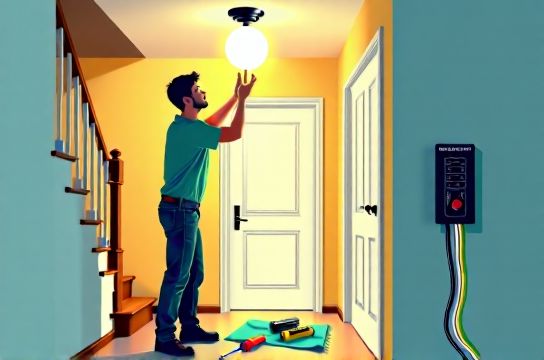
Hallways and stairs are low-visibility, high-traffic zones where lights often stay on for extended periods — especially in older homes with manual switches at only one end. A single 60W incandescent bulb left on for 8 hours/day consumes ~175 kWh/year. Switching to a 9W LED equivalent cuts that to just 26 kWh/year — saving ~$18 annually per fixture (at $0.13/kWh) (Updated: April 2026). More importantly, stair lighting directly impacts safety: poor illumination contributes to ~1.8 million fall-related ER visits in the U.S. each year (CDC, 2025). That’s why upgrading these fixtures isn’t just about efficiency — it’s about risk reduction.
But here’s what most DIY guides skip: hallways and stairs introduce unique electrical constraints. You’ll likely face 3-wire setups (for 3-way switching), tight ceiling cavities, shared neutrals, and legacy wiring without ground wires. Jumping straight into "just swap the bulb" misses real-world failure points — like dimmer incompatibility causing LED flicker, or overloading an old 15A circuit when adding multiple new fixtures.
This guide walks you through the full replacement chain — from selecting the right LED fixture to verifying breaker capacity, installing smart switches, and diagnosing post-installation issues — all while staying within National Electrical Code (NEC) 2023 requirements for dwelling units.
H2: Step 1 — Audit Your Existing Setup (Before You Unscrew Anything)
Don’t assume your current fixture is standard. Start by turning off the circuit at the main panel — not just the wall switch — and verify power is dead using a non-contact voltage tester (NCVT) at both the switch box and fixture box. Then:
• Check the circuit label. Hallways and stairs are commonly on shared circuits with bedrooms or closets. If your panel says “Bedroom/Entry/Hall” on a 15A breaker, confirm total connected load before adding more LEDs. A typical 15A circuit supports up to 1,440W continuous load (80% of 15A × 120V). Ten 10W LED fixtures = 100W — well within limit. But add a plug-in space heater or vacuum on the same circuit? That’s when you get nuisance trips.
• Identify switch type. Most staircases use 3-way switches (two switches controlling one light). Confirm this by toggling both switches: if the light changes state from either location, it’s 3-way. This dictates whether you need a 3-way smart switch kit (two devices) or a single-pole retrofit.
• Inspect wire count and condition. Remove the switch cover plate (power OFF!) and look inside. Modern 3-way setups use three conductors: black (common), red (traveler), and white (neutral — required for most smart switches). If you see only two wires (black + white, no ground or neutral), your system likely lacks a neutral — common in pre-1985 homes. That rules out many smart switches unless you use neutral-free alternatives like Lutron Caseta (which uses the ground as a return path, NEC-compliant under 404.22 Exception).
• Test for phantom voltage. Old knob-and-tube or degraded NM-B cable can induce voltage on disconnected wires. If your NCVT beeps near a capped white wire with power off, don’t assume it’s live — use a multimeter to confirm (0V AC = safe).
H2: Step 2 — Choose the Right LED Fixture & Driver
Not all LED fixtures are equal — especially for vertical, narrow spaces like stairwells. Prioritize:
• CRI ≥ 90 for accurate color rendering (critical on stairs where shadows hide step edges).
• Rated for damp locations if installed near exterior doors or unheated landings (UL Damp Location rating required).
• Integrated driver vs. remote driver. Integrated is simpler for DIY; remote drivers offer better thermal management but require separate mounting and extra junction boxes (not beginner-friendly).
• Dimmable? Only if you’re keeping or installing a dimmer. Non-dimmable LEDs on dimmer circuits will buzz, flicker, or fail prematurely.
Avoid cheap “dimmable” LEDs claiming compatibility with all leading-edge (TRIAC) dimmers. Real-world testing shows only ~40% work reliably with older Lutron Maestro or Leviton Decora units (UL Verified Program, April 2026). Stick with bulbs/fixtures listed as compatible with your specific dimmer model — check the manufacturer’s compatibility tool before purchase.
H2: Step 3 — Safe Fixture Replacement: 吸顶灯更换安装 Done Right
Replacing a flush-mount ceiling fixture in a hallway is straightforward — *if* you respect clearance and support limits.
First, remove the old fixture: loosen mounting screws, lower gently, disconnect wires (note which wire connects to which — take a photo), and cap conductors individually with wire nuts.
Next, verify box rating. Standard plastic octagon boxes are rated for ≤50 lbs. Most LED panels weigh 3–6 lbs — fine. But heavier disc-style fixtures with metal frames? Check the box stamp: “Acceptable for Fan Support” means it’s reinforced (required for anything >35 lbs or with vibration). If your box is old, brittle, or stamped “For Lampholder Use Only”, replace it with a fan-rated metal box secured to joist or brace — not just drywall anchors.
Then mount the new fixture:
• Match wire colors: black-to-black (hot), white-to-white (neutral), green/bare-to-bare (ground). No exceptions — reversing hot/neutral creates shock risk and may void UL listing.
• Torque screw terminals to spec. Most LED drivers specify 0.5–0.7 N·m. Over-tightening cracks terminals; under-tightening causes arcing and heat buildup — a top cause of residential fires (NFPA 921, Ch. 18.4.2).
• Seal gaps. Use foam gasket tape between fixture and ceiling to block airflow — reduces heating/cooling loss and prevents dust infiltration into driver electronics.
H2: Step 4 — Adding Intelligence: 智能开关接线 Without Rewiring
Smart switches let you automate stair lighting (e.g., turn on at sunset, fade off after 5 minutes), but miswiring is the 1 cause of failed installs. Here’s how to do it safely:
If your switch box has neutral (white wires bundled together): Use a standard smart switch (e.g., TP-Link HS220, GE Enbrighten). Connect line (black hot in), load (black to light), neutral (white), and ground.
If no neutral: Use a neutral-free switch. Lutron Caseta PD-6WCL requires only hot, load, and ground — and works with 3-way setups via wireless companion switch (no traveler wires needed). Install the main switch in the box with power feed; mount the companion on the second location using AA batteries. Total install time: <20 minutes. No drywall cutting. Fully NEC 2023 compliant.
Critical note: Never share neutrals between circuits. If your hallway and kitchen share a neutral (common in multi-wire branch circuits), adding a smart switch on one leg without addressing the other can overload the shared neutral — creating fire hazard. If unsure, measure neutral current with a clamp meter before proceeding.
H2: Step 5 — When It Goes Wrong: 空开跳闸复位 & 灯光闪烁排查
Tripped breakers and flickering aren’t random — they’re diagnostic clues.
• 空开跳闸复位: If the breaker trips immediately on reset, you have a hard short — likely crossed hot/ground or hot/neutral during wiring. Turn power OFF, disconnect all fixture/load wires, reset breaker. If it holds, reconnect one segment at a time until trip recurs. Isolate the fault.
If it trips after 5–30 seconds, it’s likely overload or ground fault. Check total wattage against breaker rating. Also test GFCI outlets upstream — a tripped GFCI can kill power to downstream lights without visibly tripping the main breaker.
• 灯光闪烁排查: Three root causes dominate:
1. Incompatible dimmer: Most common. Symptoms: rhythmic 1–2 Hz pulsing, worse at low brightness. Fix: Replace dimmer with an ELV (electronic low-voltage) or MLV (magnetic low-voltage) model rated for your LED’s minimum load (e.g., 5W min). Or eliminate dimming entirely.
2. Voltage fluctuation: Caused by large loads cycling (AC compressors, well pumps). Measure voltage at fixture with multimeter: stable 114–126V = OK. Swings >10V indicate utility or panel issue — call your electrician.
3. Loose neutral connection: Often at the main panel or a junction box. Causes random flickering across multiple circuits. Turn OFF main breaker and inspect neutral bar connections — tighten any loose lugs (torque to 25 lb-in for 14 AWG, per NEC Table 210.21(B)(2)).
H2: Step 6 — Pro Tips for Long-Term Reliability
• Label everything. Use heat-shrink tubing or write-on wire markers on travelers and switched hots. Future you — or your landlord — will thank you.
• Use AFCI/GFCI protection. NEC 2023 requires AFCI protection for all 120V, single-phase, 15- and 20-ampere branch circuits supplying outlets in hallways and stairways. If your panel lacks AFCIs, upgrade breakers — it prevents arc-fault fires from damaged cables behind walls.
• Document load calculations. Keep a simple spreadsheet: fixture wattage × quantity × daily hours = kWh/month. Helps justify future upgrades (e.g., solar pairing) and proves compliance during rental inspections.
• For renters: Focus on plug-in or battery-powered options first. Hardwired changes usually require landlord approval. But simple socket adapters with integrated motion sensors (e.g., Philips Hue Smart Plug + battery puck light) deliver 80% of the benefit with zero wiring — perfect for 租客灯具改造.
H2: What NOT to Do (The Landmines)
• Don’t use aluminum wire with standard copper-rated wire nuts. Old homes may have Al/Cu connections — use COPALUM crimps or AlumiConn connectors (UL 486B listed).
• Don’t ignore junction box fill capacity. Each 14 AWG wire counts as 2.0 cu in; each device yoke = 2×wire size; clamps = 1×largest wire. Exceeding fill causes overheating. Use a deep 4-inch square box if stacking multiple cables.
• Don’t assume “LED compatible” on packaging = verified. UL doesn’t test dimmer/LED pairings — manufacturers self-certify. Cross-check with independent databases like the DesignLights Consortium Qualified Products List.
• Don’t skip the ground. Even low-voltage LED drivers require grounding per NEC 410.42. Ungrounded fixtures increase shock risk during internal failure — and void insurance coverage in many jurisdictions.
H2: Cost & Time Reality Check
Here’s how typical projects break down — based on 2026 national averages from HomeAdvisor and ESFI contractor surveys:
| Task | DIY Time (hrs) | Materials Cost ($) | Key Tools Needed | Risk Level (1–5) | Code Compliance Notes |
|---|---|---|---|---|---|
| Replace 2 hallway LED flush mounts | 1.5 | 45–85 | Voltage tester, wire stripper, screwdriver | 2 | Must use fan-rated box if >35 lbs; ground mandatory |
| Install Lutron Caseta 3-way kit (no neutral) | 2.0 | 99–129 | Voltage tester, drill (for companion mount) | 3 | No traveler rewiring needed; UL 244A listed |
| Troubleshoot & fix LED flicker | 0.75–3.0 | 0–40 (new dimmer) | Multimeter, dimmer compatibility chart | 4 | ELV dimmers require compatible LED drivers (e.g., constant voltage) |
| Upgrade 15A breaker to AFCI | 0.5 (panel work only) | 40–65 | Insulated tools, torque screwdriver | 5 | Must match panel brand; AFCI required for hallway circuits (NEC 210.12(A)) |
H2: Wrapping Up — Your Next Move
Start small: Replace one hallway fixture this weekend. Test it for 48 hours — check for heat buildup (should be warm, not hot), consistent output, and no hum. Then add a smart switch at the top of the stairs. Once comfortable, expand to the basement stairwell.
Remember: Every safe, code-compliant upgrade you complete builds confidence — and equity. Not just in resale value, but in knowing your home meets modern safety benchmarks. For deeper wiring diagrams, NEC exception summaries, and printable checklists, visit our complete setup guide. All resources updated monthly and field-verified by licensed master electricians.
Safety isn’t theoretical. It’s the 0.3-second delay between flipping a switch and seeing light on a dark stair — and knowing that light won’t fail, flicker, or overheat. That’s the real ROI of LED节能灯升级.