Safe Plug Adapter Practices for High Wattage Appliances
- 时间:
- 浏览:34
- 来源:Easy Home Repair & DIY Guides
H2: Why Your Hair Dryer or Space Heater Should *Never* Share a Plug Adapter with Other Devices
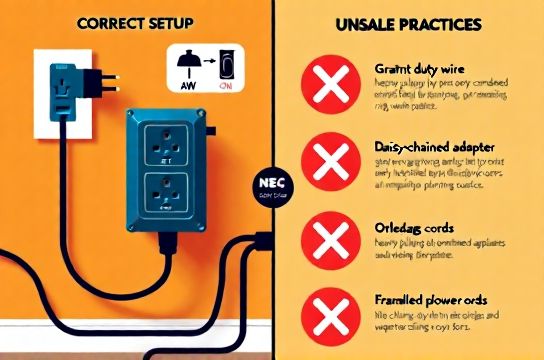
You’ve seen it: a compact travel adapter plugged into a wall socket, feeding power to a space heater, a laptop charger, and maybe even a string of LED lights—all at once. It works… until it doesn’t. Smoke near the adapter. A warm outlet faceplate. A breaker that trips every time the heater kicks on. These aren’t ‘minor quirks.’ They’re early warnings of thermal overload—and potential fire hazard.
High-wattage appliances—anything drawing over 1,000 watts (e.g., hair dryers, microwaves, portable AC units, powerful shop vacs)—demand stable, low-resistance paths to the panel. Most plug adapters (especially non-UL-listed, multi-outlet types sold online) are rated for 10A–15A *maximum*, often at 125V. That’s only 1,250–1,875W *total*. Yet a single 1,500W space heater already consumes ~12.5A at 120V (P = V × I → I = P/V). Add even a 60W LED bulb or 30W phone charger, and you’re pushing limits—or exceeding them without realizing it.
This isn’t theoretical. According to NFPA 921 (2025 edition), 14% of home structure fires involving electrical distribution equipment were linked to misuse of extension cords and plug adapters—particularly when powering heating appliances (Updated: April 2026).
H2: The Real Limits of Common Plug Adapters
Not all adapters are created equal. Many marketed as “universal” or “travel-ready” skip UL 498 or UL 1363 certification entirely—or list ratings that apply only under ideal lab conditions (25°C ambient, no continuous load, perfect contact). In real homes? Wall outlets run warmer. Contacts oxidize. Cords coil and trap heat. And most renters or DIYers don’t check whether their adapter is rated for *continuous* (3+ hour) loads—a requirement for heaters and dehumidifiers.
Key red flags: • No visible UL/ETL mark or listing number on the device • No amp/watt rating printed on the housing (not just on the packaging) • Flexible, thin-gauge internal wiring (<16 AWG) • Plastic housing that feels soft or warms noticeably after 5 minutes • No built-in circuit breaker or thermal cutoff
If your adapter lacks any of these, treat it as a temporary convenience—not a permanent solution.
H2: What Counts as “High Wattage” in Practice?
It’s not just about nameplate wattage. You must factor in *duty cycle*, *voltage stability*, and *circuit loading*. Here’s how to assess real-world demand:
• Hair dryer: 1,200–1,875W (10–15.6A). Even brief use spikes current—especially on older models with brushed motors. • Microwave (compact): 700–1,200W, but draws up to 15A *instantly* during magnetron startup. • Space heater (ceramic/oil-filled): 750–1,500W continuous. Oil-filled units draw less peak current but run 8–12 hours straight—testing thermal endurance. • Air purifier + humidifier combo: Often overlooked. Together they can draw 120–200W—but when plugged into the same adapter as a 1,000W heater, they push total load past 1,200W easily.
Crucially: NEC Article 210.21(B)(1) requires that a receptacle supplying cord-and-plug-connected equipment must be rated *at least* equal to the load it supplies. If your adapter feeds two devices totaling 14A, the adapter *and* the outlet it’s plugged into must both be rated for ≥15A. Most standard duplex outlets are—but cheap adapters rarely are.
H2: Safe Alternatives—When You Can’t Rewire
Let’s be realistic: Not every renter can install a dedicated circuit. Not every homeowner has spare breaker slots. So what *can* you do safely?
✅ Use a *UL 1363-listed power strip with built-in 15A circuit breaker*—but *only* for one high-wattage appliance *at a time*. Never daisy-chain strips. ✅ Plug high-wattage devices directly into a wall outlet—preferably one on a 20A circuit (identified by a ‘T-slot’ neutral blade on the receptacle). Confirm circuit rating via your panel label. ✅ For long-term use (e.g., home office with space heater + monitor + PC), consult an electrician about adding a dedicated 20A circuit—even if it means surface-mount EMT conduit along a baseboard (permitted under NEC 358.10(B)(2) for exposed runs). ✅ Replace outdated outlets: If your home has ungrounded 2-prong outlets, upgrading to a GFCI-protected 15A or 20A receptacle (with proper grounding verification) adds safety *without* rewiring the entire circuit.
⚠️ Avoid these common shortcuts: • Using a 2-to-3 prong “ground lift” adapter on an ungrounded outlet to plug in a 3-prong heater—this removes critical fault protection. • Plugging a 1,500W heater into a power strip also feeding a gaming PC and RGB light strip—even if the strip claims “2,400W max.” Real-world sustained draw exceeds ratings fast. • Assuming “heavy-duty” on the box means “safe for heaters.” Unless it cites UL 1363 *and* lists a continuous-load amperage, assume it’s not.
H2: How to Verify Your Circuit Before Plugging In
Step 1: Locate your breaker panel. Identify the circuit labeled “Living Room,” “Bedroom,” or similar. Note its amp rating (15A or 20A).
Step 2: Count *all* devices on that circuit—not just what’s plugged in now, but what’s hardwired: ceiling fans, smoke alarms, built-in lighting, HVAC controls. NEC allows 80% continuous load rule: a 15A circuit should carry ≤12A continuously (1,440W @ 120V); a 20A circuit ≤16A (1,920W).
Step 3: Measure actual voltage under load using a multimeter. Plug in your heater alone. Read voltage at the outlet *while it’s running*. If it drops below 114V, you have undersized wiring, loose connections, or excessive distance from the panel—increasing fire risk.
Step 4: Feel the outlet plate and adapter *after 10 minutes*. Slight warmth is normal. Hot-to-touch (>50°C / 122°F) means immediate disconnection and investigation.
H2: When to Call a Licensed Electrician—No Exceptions
Some situations require professional intervention—no DIY workaround is safe: • You experience frequent tripping *only* when using a specific high-wattage device—this points to failing breakers, shared neutrals, or overloaded shared circuits. • Outlets feel warm *even without* high-wattage loads—indicating loose termination screws, aluminum wiring (common in homes built 1965–1973), or corroded contacts. • You need to install a 240V appliance (e.g., EV charger, large air conditioner)—plug adapters don’t exist for this. You need new feeders, double-pole breakers, and proper grounding. • Your rental unit has knob-and-tube or cloth-insulated wiring. Adapters add stress to aging infrastructure. Landlords are required (in 42 U.S. states) to provide habitable electrical systems—document issues in writing.
H2: Comparison: Plug Adapters vs. Hardwired Solutions
| Feature | UL 1363 Power Strip (15A) | Non-Listed Multi-Outlet Adapter | Dedicated 20A Circuit (Hardwired) |
|---|---|---|---|
| Max Continuous Load | 12A (1,440W) | Unverified — often ≤8A | 16A (1,920W) |
| Thermal Protection | Yes — auto-reset breaker | No | Yes — panel breaker + AFCI/GFCI |
| Installation Time (DIY) | 1 minute | 10 seconds | 4–8 hours (permit + inspection) |
| Code Compliance (NEC 2023) | Yes — if used per listing | No — violates 110.3(B) | Yes — fully compliant |
| Typical Cost (2026) | $22–$48 | $4–$12 | $420–$890 (labor + materials) |
| Best For | Renters, short-term heater use, home offices | Low-risk, <50W devices only (e.g., phone chargers) | Permanent upgrades: workshops, garages, ADUs |
H2: Smart Switch Wiring & Plug Adapters—A Critical Interaction
Many homeowners install smart switches (e.g., for dimmable LED ceiling fixtures) and then plug high-wattage devices into nearby outlets—unaware that some smart switches leak small currents (up to 0.5W) through the load wire *even when off*. When combined with a marginal plug adapter on the same circuit, that tiny leakage can accelerate oxidation at weak contacts—raising resistance, heat, and failure risk over months. Always isolate high-wattage loads onto circuits *without* smart-switch-controlled lighting or motor loads unless the switch explicitly states “zero-crossing isolation” and passes UL 1059 Annex D testing.
H2: Final Checks Before Every Use
Before plugging in any high-wattage device: • Confirm the adapter is listed (UL/ETL), rated for *continuous* load, and matches or exceeds the device’s amperage. • Unplug *everything else* from that adapter—even low-wattage items. • Ensure 2 inches of clearance around the adapter—no rugs, curtains, or furniture blocking airflow. • Test GFCI outlets monthly (press TEST then RESET). A failed GFCI won’t trip during ground faults—leaving you unprotected. • If resetting a tripped breaker feels sticky, makes buzzing sounds, or trips again within 60 seconds, stop. That’s not an adapter issue—it’s a circuit or panel problem requiring licensed diagnosis.
Remember: Electrical safety isn’t about perfection. It’s about informed choices. A $30 UL-listed power strip used correctly prevents more fires than a $300 smart lighting system installed incorrectly. Prioritize verified ratings over marketing terms. When in doubt, unplug—and refer to our complete setup guide for code-aligned, renter-friendly upgrades.
H2: Related Tasks You *Can* Do Safely Today
• Swap light fixtures: Replacing a fluorescent troffer with an integrated LED panel adds ~40% energy savings and zero heat load (LED lighting upgrade). • Install smart switches: Use a non-contact voltage tester first, confirm neutral availability, and follow manufacturer torque specs—no guesswork (smart switch wiring). • Reset tripped breakers: Flip fully OFF, then ON. If it trips again immediately, investigate load—not the breaker (circuit breaker reset). • Replace outlet panels: Upgrade cracked, discolored, or loose receptacles with tamper-resistant TR versions—takes 12 minutes with a screwdriver and voltage tester (outlet panel replacement). • Troubleshoot flickering: Start with loose bulb seating, then check for shared neutrals or failing dimmer compatibility—don’t assume it’s the bulb (lights flickering troubleshooting).
All of these fall under core home electrical safety—and none require opening the panel or running new cables. Done right, they reduce strain on your system and make high-wattage usage safer by default.
(Updated: April 2026)