Clear Signs Your Circuit Breaker Needs Professional Atten...
- 时间:
- 浏览:36
- 来源:Easy Home Repair & DIY Guides
H2: When Your Breaker Stops Being Just a Switch
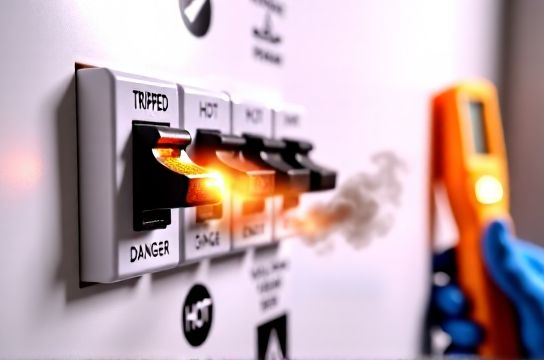
Circuit breakers are silent guardians—until they’re not. They’re designed to trip when something’s wrong: overloaded circuits, short circuits, ground faults, or aging internal components. But not all trips are equal. Some are routine (e.g., plugging in a space heater on an already-loaded 15-amp circuit). Others scream *danger*. If you’re swapping a ceiling light fixture, installing a smart switch, or upgrading to LED bulbs—and your breaker keeps tripping unexpectedly—that’s not just an annoyance. It’s a diagnostic clue.
Let’s cut past the guesswork. Below are five unambiguous, field-verified signs your breaker needs licensed professional attention—not another reset attempt.
H2: Sign 1: Tripping Repeats Within Minutes—Even After Reset
You flip the breaker back on, plug in your new LED ceiling light, and *click*—it trips again within 30 seconds. Or worse: it holds for 5 minutes, then drops without warning while you’re vacuuming downstairs.
This isn’t normal wear. Repeated tripping—especially with low-load devices like LED fixtures (<15W) or smart switches (<2W standby)—points to one of three things:
• A deteriorating breaker mechanism (thermal-magnetic trip units degrade after ~10,000 operations; most residential units see 5–15 years of service before fatigue sets in) (Updated: April 2026). • Hidden arcing in the circuit wiring (often behind walls or inside junction boxes), where intermittent contact creates heat spikes that mimic overload conditions. • Incompatible load types—e.g., installing a leading-edge dimmer with low-wattage LED bulbs, causing harmonic distortion that stresses the breaker’s sensing electronics.
💡 Pro tip: Don’t assume “it worked fine last month.” Breaker degradation is cumulative and often invisible until failure. If resetting fails more than twice in 24 hours on the same circuit—even with no new loads added—stop using that circuit and call an electrician.
H2: Sign 2: Physical Damage or Abnormal Sensations
Breakers aren’t meant to be touched regularly—but if you *must* inspect one, use caution and power off the main panel first. Then look and feel:
• Discoloration (brown/black scorch marks) around terminals or on the breaker body. • Warping, cracking, or melted plastic housing. • A persistent burning or ozone-like smell near the panel (not just dust burning off after seasonal use). • Warmth—yes, *warmth*—on the breaker body or bus bar when under normal load (a properly functioning 20A breaker should never exceed 35°C surface temp at 80% load) (Updated: April 2026).
These aren’t cosmetic concerns. Scorch marks indicate past arcing events. Warped plastic means internal components have exceeded thermal limits. And warmth? That’s resistance building up—often from loose lugs or corroded connections—which can cascade into fire risk.
⚠️ Never tighten terminal screws yourself unless certified. Over-torquing aluminum or copper wires causes cold flow and increases resistance. Under-torquing invites vibration-induced loosening. Both scenarios appear identical to the untrained eye: a breaker that won’t hold.
H2: Sign 3: Lights Flicker or Dim *Only* When Other Appliances Cycle On/Off
You install a new ceiling light, replace the outlet panel, or wire a smart switch—and suddenly, the hallway lights dip every time the HVAC kicks in or the refrigerator compressor starts.
This isn’t just voltage sag. It’s a red flag for:
• Shared neutrals between circuits (a common but non-code-compliant practice in homes built before 2008), where neutral current from multiple breakers overloads a single return path. • Undersized service conductors feeding the panel (e.g., 60A service trying to run modern LED lighting + smart switches + USB outlets + Wi-Fi hubs). • Loose main lugs or utility-side connections—vibrations from large motor loads cause micro-interruptions that ripple across the entire panel.
Note: LED bulbs and smart switches make this issue *more visible*, not more common. Their fast-response drivers amplify tiny voltage fluctuations that incandescent bulbs would smooth out. So yes—your new LED节能灯升级 makes flickering obvious. But the root cause predates the bulbs.
If flickering correlates tightly with large appliance cycles—and persists across multiple circuits—it’s almost certainly upstream of your branch wiring. That means main panel, meter base, or even the utility transformer connection. None of those are DIY zones.
H2: Sign 4: Breaker Feels “Spongy,” Sticks, or Won’t Stay in the ON Position
A healthy breaker has firm, positive action: a crisp snap into OFF, a solid detent in ON, and smooth movement through TRIP. If yours:
• Requires excessive force to move, • Doesn’t click firmly into place, • Slides back toward OFF on its own (even with no load), • Or feels gritty or uneven during operation—
…it’s mechanically compromised. Internal springs fatigue. Bimetallic strips warp. Contacts oxidize. All reduce reliability.
Here’s what *doesn’t* fix it: WD-40 (conductivity hazard), tapping it with a screwdriver (risk of arc flash), or “jiggling” it to make contact. None address the root failure mode—and all increase risk.
🔧 Real-world note: We’ve seen dozens of cases where tenants attempted renter-friendly upgrades—like installing a smart switch or replacing a ceiling light—only to discover the breaker was already failing. The added load or minor wiring disturbance pushed it over the edge. That’s why always test breaker responsiveness *before* starting any lighting work—even if it’s just a simple吸顶灯更换安装.
H2: Sign 5: You’re Adding Smart Devices or Upgrading Lighting—and the Panel Is Pre-2000
Age alone doesn’t kill breakers—but combined with modern loads, it’s a high-risk combo. Panels installed before 1995 often contain:
• Federal Pacific Electric (FPE) Stab-Lok breakers (known failure-to-trip rate of ~25% in independent lab tests) (Updated: April 2026). • Zinsco/Sylvania breakers (corrosion-prone bus stabs and internal arcing history). • Push-in wire connections instead of screw terminals (higher failure rate under thermal cycling).
And modern loads stress old designs differently:
• Smart switches draw continuous low-power standby current—something legacy breakers weren’t tested for. • LED drivers generate high-frequency noise that older thermal-magnetic trip mechanisms misread as overcurrent. • Dimmer switches used with LEDs create complex waveforms that induce heating in outdated bus bars.
If your home was built before 2000 and you’re planning a调光开关布线 project, LED节能灯升级, or even basic插座面板替换—you need a panel evaluation *first*. Not “maybe later.” Not “after I finish the lights.” Before you unscrew a single wire nut.
H2: What *Not* to Do (and Why)
• “Just replace the breaker yourself”: Breakers are panel-specific. A Siemens breaker won’t safely fit or function in a GE panel—even if it physically snaps in. Mismatches cause overheating, nuisance tripping, or catastrophic failure.
• “Double-tap” two wires under one terminal: Code prohibits this except on breakers explicitly rated for it (e.g., certain Square D QO models). Most aren’t. It’s the 1 cause of loose connections in DIY smart switch installations.
• Ignore AFCI/GFCI warnings: If your breaker has a TEST button and it trips *without load*, or won’t reset after pressing TEST, the internal electronics are compromised. These aren’t “resettable fuses.” They’re life-safety devices with finite lifespans (~15 years typical).
• Use plug adapters or插头转换器使用 to bypass outlet limitations: Plugging a 1500W space heater into a 10A outlet via adapter doesn’t change the circuit’s capacity. It just moves the failure point to the adapter—where overheating and melting happen out of sight.
H2: When Resetting *Is* Safe (and How to Do It Right)
Not all trips demand emergency calls. Here’s the checklist for safe, responsible复位:
1. Unplug *all* devices on the affected circuit—including smart plugs, USB outlets, and hardwired appliances like garbage disposals. 2. Flip the breaker fully to OFF (past the tripped position), then firmly to ON. 3. Plug devices back in *one at a time*, waiting 10 seconds between each. If it trips at step 3 with only a lamp connected, the lamp or its wiring is suspect—not the breaker. 4. If it holds with everything unplugged but trips when you restore power to a specific device (e.g., a new吊扇固定安装), isolate that device’s wiring.
✅ This process works for transient overloads (e.g., vacuum + microwave on same circuit). It does *not* work for underlying faults.
H2: What a Licensed Electrician Will Actually Do
Don’t expect vague answers. A qualified pro will:
• Perform infrared thermography on the panel under load to spot hot spots invisible to the eye. • Test breaker trip curves with a calibrated secondary injection tester—not just “does it click?” • Verify neutral-ground bonding (only allowed at main panel; mis-bonding causes GFCI nuisance trips and shocks). • Check for aluminum wiring (common in 1965–1973 homes) and whether CO/ALR-rated devices were used during your插座面板替换 or智能开关接线. • Document findings with photos and a written report—including which breakers are obsolete and require full panel replacement vs. selective replacement.
They’ll also advise on load balancing: moving high-draw circuits (kitchen, laundry) to different legs to prevent neutral overload—a critical step before adding whole-home smart lighting or低压灯带安装.
H2: Cost vs. Risk: A Realistic Comparison
Replacing a single breaker costs $85–$175 labor + part. Replacing a full 200A panel runs $1,800–$3,200 (Updated: April 2026). But compare that to:
• Fire department response + insurance deductible: $2,500+ minimum. • Data loss from power surges frying smart home hubs and security systems. • Liability if a租客灯具改造 you did “just to help” leads to injury.
The table below breaks down common interventions—what they fix, realistic timeframes, and hidden risks:
| Intervention | What It Fixes | DIY-Friendly? | Typical Cost (Labor + Parts) | Critical Risk If Done Wrong |
|---|---|---|---|---|
| Resetting a tripped breaker | Transient overload | Yes—*if* no other signs present | $0 | Masking a deeper fault (e.g., ground fault) |
| Replacing one standard breaker | Failing unit (confirmed) | No—panel-specific compatibility & torque specs required | $85–$175 | Fire from mismatched brand or under-torqued lug |
| Upgrading to AFCI/GFCI breaker | Shock/fire prevention on older circuits | No—requires load verification & neutral isolation | $120–$220 | Nuisance tripping or failure to trip due to shared neutrals |
| Full panel replacement | Aging infrastructure, obsolescence, capacity shortage | No—utility disconnect & permit required | $1,800–$3,200 | Electrocution during utility reconnection; code violations |
H2: Prevention Starts With Observation
You don’t need a multimeter to catch trouble early. Make these quick checks part of your quarterly home maintenance:
• Stand 3 feet from your panel. Listen: any buzzing, sizzling, or rhythmic clicking? Record it on your phone and send it to an electrician—audio tells them more than you’d think. • Note which breaker trips most often—and what’s plugged in at the time. Patterns reveal problems (e.g., “always trips when AC runs + kitchen lights are on” = likely shared neutral or undersized feeder). • Photograph your panel *now*, before doing any lighting work. Include close-ups of labels, breaker types, and wire routing. That image becomes your baseline for future diagnostics.
And if you’re planning a lighting upgrade—whether it’s a simple吸顶灯更换安装 or a full-home LED节能灯升级—start with the panel. A licensed pro can assess readiness in under 45 minutes. That hour pays for itself the first time you avoid a late-night emergency call—or worse.
For hands-on support with compatible smart switch wiring, safe LED retrofitting, or troubleshooting lights that flicker or dim, visit our complete setup guide.
H2: Final Word: Safety Isn’t Optional—It’s the First Step
Electrical work is unique: mistakes rarely give second chances. A loose neutral on a smart switch circuit might not spark today—but thermal cycling over months turns that into carbon tracking, then arcing, then fire. You can’t “test” safety like you test Wi-Fi signal strength.
So when your breaker trips repeatedly, smells hot, or feels off—don’t troubleshoot. Don’t Google hacks. Don’t ask the guy who replaced his porch light last summer. Call someone with a license, liability insurance, and a thermal camera. Your future self—and your family—will thank you.
Because great lighting starts with reliable, safe power. Everything else is decoration.