Install Dimmer Switches Correctly Using Basic Wiring Tips
- 时间:
- 浏览:37
- 来源:Easy Home Repair & DIY Guides
H2: Why Your Dimmer Isn’t Working (Even When It’s "Wired")
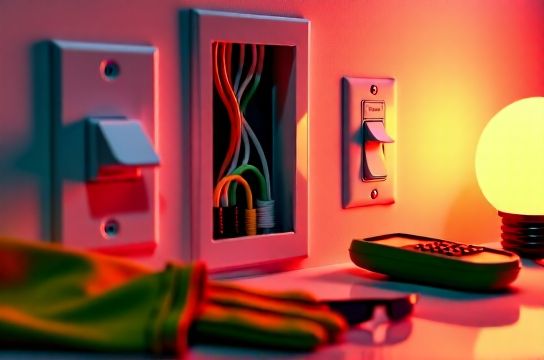
You’ve bought a new dimmer switch—maybe a sleek smart model—and followed the diagram on the box. You turned off the breaker, tested with a non-contact voltage tester (good), connected black-to-black, white-to-white, green-to-ground… flipped the breaker back on, and—nothing. Or worse: the light flickers, buzzes, or trips the breaker instantly.
This isn’t failure. It’s feedback.
Dimmer switches are *load-sensitive*, not just wire-sensitive. Unlike standard switches, they require compatible bulbs, correct load range, proper grounding, and often neutral wires—even if your old switch didn’t use one. And if you’re upgrading from incandescent to LED—or adding smart functionality—the wiring assumptions that worked in 1998 no longer apply.
Let’s fix it right. No theory. Just what you’ll see behind your wall plate.
H2: Before You Touch a Wire: 4 Non-Negotiable Checks
1. **Confirm Power Is OFF — Twice** Use a non-contact voltage tester *at the switch box* and *at the fixture* (after removing the bulb). Test both screw terminals and the metal box itself. In multi-gang boxes, adjacent circuits may share space—so test every terminal, even unused ones. A single live wire can deliver a dangerous shock or damage electronics.
2. **Identify Your Circuit Breaker — Then Label It** Turn off the suspected breaker. Verify by testing all outlets and lights on that circuit. If other rooms go dark, you’ve found the wrong one. Once confirmed, label the breaker clearly (“Hallway Lights + Stairwell”, not “Lighting 3”). This avoids confusion during future repairs—especially critical if you’re renting or sharing the panel. (Updated: April 2026)
3. **Check Bulb Compatibility — Not Just Wattage** Most modern dimmers list minimum/maximum load ranges *in watts*, but LED bulbs draw far less power. A 60W-equivalent LED uses only ~8.5W. So three of them = ~25.5W total—well below the 40–60W minimum load required by many leading dimmers (e.g., Lutron Diva DVCL-153P, Leviton Decora Smart D26HD). That under-load condition causes flickering, dropouts, or audible buzzing.
Solution: Use dimmable LEDs rated for trailing-edge (ELV) or universal dimmers—and verify compatibility on the manufacturer’s official compatibility tool (e.g., Lutron LED Compatibility Finder). Don’t rely on “dimmable” packaging alone.
4. **Verify Neutral Wire Presence — Even If Your Old Switch Didn’t Use One** Smart dimmers (like TP-Link Kasa, GE Enbrighten, or Lutron Caseta) almost always require a neutral wire to power their internal radios and processors. If your switch box has only two insulated wires (hot + switched hot) plus ground, you likely lack a neutral—and cannot install most smart dimmers without running new cable (which requires an electrician in most jurisdictions).
Look carefully: the neutral is usually white, bundled with other whites in the back of the box—not connected to the old switch. If it’s capped off and unattached, it’s probably available. If it’s missing entirely (common in pre-1985 homes), don’t force it. Use a neutral-free smart switch (e.g., Lutron PD-6ANS) *only if* your load meets its strict requirements—and always confirm local code allows it.
H2: The 5-Minute Wiring Audit (What You’ll Actually See Behind the Plate)
Open the switch box. You’ll likely see one of three configurations:
• **Standard 2-Wire + Ground**: Black (hot), red or black (switched hot to light), bare copper (ground). No neutral. Compatible only with basic mechanical dimmers (e.g., Lutron Skylark S2-LA) — *not* smart models.
• **3-Wire + Ground**: Black (hot), red (switched hot), white (neutral), bare copper (ground). This is your ideal setup for smart dimmers and most modern LED-compatible dimmers.
• **4-Wire + Ground (3-Way Setup)**: Black (common), red & white (travelers), plus neutral and ground. Requires a 3-way compatible dimmer (e.g., Lutron Maestro MACL-153M). Never swap a 3-way dimmer for a single-pole unit—functionality will fail.
⚠️ Critical note: If you see aluminum wiring (silver-gray, stiff, often marked “AL”), stop. Aluminum requires CO/ALR-rated devices, special antioxidant paste, and torque-spec screwdrivers. DIY aluminum work violates NEC 404.14(E) and voids insurance in most cases. Call a licensed electrician.
H2: Step-by-Step: Installing a Standard LED-Compatible Dimmer (Single-Pole)
Tools needed: Screwdriver (flat & Phillips), wire stripper, needle-nose pliers, voltage tester, wire nuts (UL-listed, red for 2–3 wires, yellow for 2 wires), and electrical tape.
1. **Turn OFF breaker → Confirm DEAD → Remove old switch** Unscrew mounting screws, gently pull out switch. Note wire connections. Take a photo before disconnecting.
2. **Identify wires** • Hot (line): Usually black, connected to brass or darker screw on old switch. • Load (switched hot): Usually red or second black, connected to other brass/darker screw. • Neutral: White, capped off or attached to other whites. • Ground: Bare copper or green, attached to green screw or box.
3. **Prepare dimmer leads** Most dimmers have: – Black (line/hot input) – Red or blue (load/output to light) – White (neutral) – Green (ground)
Strip ½" insulation. Twist strands clockwise. No stray “hairs.”
4. **Connect** • Line (black dimmer) → Hot (black supply) → wire nut • Load (red/blue dimmer) → Load (red or black to light) → wire nut • Neutral (white dimmer) → Neutral bundle (all whites) → wire nut • Ground (green dimmer) → Ground bundle (bare copper) → wire nut
Tighten each wire nut until no copper shows. Gently tug each wire—it must not pull free.
5. **Fold & mount** Tuck wires neatly into box—no pinching. Mount dimmer using included screws. Ensure no bare wire touches box or other terminals.
6. **Restore power → Test gradually** Turn breaker on. Flip dimmer to full brightness first. If light comes on cleanly, try dimming slowly. If it flickers below 30%, check bulb compatibility and load total.
H2: When the Breaker Trips Instantly — What It Really Means
An immediate trip means a dead short—not overload. Common causes:
• Ground wire touching hot or load terminal (most frequent) • Neutral accidentally contacting hot (e.g., misrouted in wire nut) • Damaged dimmer (rare out-of-box, but possible) • Moisture in box (e.g., outdoor or bathroom location without weatherproof cover)
Fix: Turn power OFF. Disconnect all dimmer wires. Re-test for continuity between hot/load/neutral/ground with a multimeter (set to continuity). If any pair beeps, there’s a short—trace it. Check for nicked insulation, stray strands, or screw punctures in cable sheathing.
If clean, reconnect one pair at a time and retest. Isolate the fault before proceeding.
H2: Smart Switch Wiring Gotchas — Beyond the Manual
Smart dimmers add layers: firmware updates, hub dependencies, and zero-crossing detection. Here’s what manuals omit:
• **Neutral ≠ Optional, Even If It Works Without It**: Some smart switches boot up and control lights without neutral—but they draw phantom current through the bulb path. This causes LED “ghost glow” (faint light when off), premature driver failure, and violates NEC 404.22 (2023 edition). Always connect neutral if present.
• **Traveler Wires Aren’t Interchangeable in 3-Way Smart Setups**: In a 3-way configuration, the traveler wires carry signal *and* power. Swapping red and white breaks communication between master and remote. Match labels on the dimmer (e.g., “TRAVELER 1” / “TRAVELER 2”)—don’t guess.
• **Wi-Fi Dimmers Need Signal, Not Just Power**: A strong 2.4 GHz signal is required for over-the-air updates and app responsiveness. If your router is >50 ft away with two drywall walls in between, expect timeouts. Install a Wi-Fi extender *before* final mounting—or choose a Zigbee/Z-Wave model with a dedicated hub (more reliable for lighting control).
H2: Troubleshooting Flicker, Buzz, and Dropouts
Flickering isn’t random—it’s diagnostic.
• **Flicker only at low dim levels**: Under-load condition. Add a load resistor (e.g., Lutron LUT-MLC) *or* replace with higher-wattage dimmable LEDs (e.g., 12W instead of 8W units). Do *not* exceed dimmer’s max rating.
• **Buzzing sound**: Caused by coil vibration in magnetic low-voltage transformers—or incompatible leading-edge dimmers on ELV drivers. Replace with trailing-edge (ELV) dimmer if using low-voltage MR16s or electronic transformers.
• **Lights turn off randomly**: Often firmware-related. Update via app. If persistent, reset the device (hold set button 10 sec) and re-pair. If still failing, the dimmer may be defective—contact support with purchase date and model number.
• **Delayed response (>1 sec)**: Indicates weak mesh (Zigbee/Z-Wave) or overloaded Wi-Fi channel. Check hub placement and interference sources (microwaves, cordless phones, Bluetooth speakers).
H2: When to Call a Licensed Electrician — Not a Suggestion
DIY is safe *only* within defined limits. Call a pro if:
• Your home was built before 1965 and uses knob-and-tube wiring (no ground, cloth insulation, fire risk) • You need to add a neutral wire to a switch box (requires pulling new NM-B cable, often through finished walls) • You’re installing in a bathroom, garage, or outdoor location without GFCI protection • The circuit serves more than 12 outlets/lights (exceeds 80% of 15A/20A capacity) • You smell burning, see discolored outlets, or find brittle, cracked insulation
These aren’t “nice-to-haves”—they’re NEC-mandated safety thresholds. Violating them risks fire, electrocution, or voided insurance.
H2: Upgrading Your Whole Lighting System — Practical Priorities
Don’t replace everything at once. Focus on impact:
1. **Start where you spend time**: Kitchen, living room, bedroom—install dimmers with warm-dim technology (e.g., Philips Hue White Ambiance) for circadian rhythm support.
2. **Replace high-use fixtures first**: Hallway and stair lights get cycled 10–20x/day. Upgrade to dimmable LEDs *before* installing dimmers—prevents compatibility surprises.
3. **Group intelligently**: Avoid mixing dimmable and non-dimmable LEDs on same circuit—they’ll fight each other. Use separate circuits or zones.
4. **Document as you go**: Snap photos of every box before disconnecting. Label wires with masking tape (“LIGHT”, “NEUTRAL”, “HOT”). Save receipts and model numbers. Future-you will thank present-you.
H2: Real-World Dimmer Comparison — Choose the Right Tool
| Model | Type | Neutral Required? | LED Min Load | Smart Protocol | Key Limitation | Price (USD) |
|---|---|---|---|---|---|---|
| Lutron Diva DVCL-153P | Mechanical Dimmer | No | 10W | N/A | No smart features; requires matching companion for 3-way | $22 |
| Lutron Caseta PD-6WCL | Smart Dimmer | Yes | 5W | Proprietary (needs hub) | Hub required ($30); no direct Wi-Fi | $35 |
| TP-Link Kasa HS220 | Smart Dimmer | Yes | 5W | Wi-Fi | Requires stable 2.4 GHz; no local control if cloud down | $25 |
| Leviton Decora Smart D26HD | Smart Dimmer | Yes | 10W | Zigbee | Needs Zigbee hub (e.g., Amazon Echo Plus, SmartThings) | $38 |
H2: Final Safety Reminders — Because “Almost Right” Isn’t Safe
• Never use wire nuts rated for fewer conductors than you’re joining. Overloading causes heat buildup. • Never wrap wire nuts in electrical tape “for extra security”—it hides overheating signs. • Never assume a switch is wired correctly because it “worked before.” Older homes often have bootleg grounds (neutral bonded to ground at outlets)—a serious shock hazard. • Always torque terminal screws to spec (usually 12–14 in-lbs). Overtightening cracks terminals; undertightening causes arcing. • Keep a fire extinguisher (Class C) in your garage or utility closet. Know how to use it.
Upgrading your lighting isn’t just about convenience—it’s about control, comfort, and long-term safety. Every correctly installed dimmer reduces strain on bulbs, lowers energy use (LEDs + dimming cut consumption up to 60% vs. full-brightness incandescent), and builds confidence for your next project—whether that’s ceiling light replacement, smart switch wiring, or resetting a tripped breaker after a storm.
For a complete setup guide—including printable wiring diagrams, load calculators, and video walkthroughs for every major brand—visit our full resource hub at /. (Updated: April 2026)