Fix Tripped Circuit Breaker Fast Without Calling an Elect...
- 时间:
- 浏览:32
- 来源:Easy Home Repair & DIY Guides
H2: Why Your Breaker Trips — And Why It’s Actually Good News
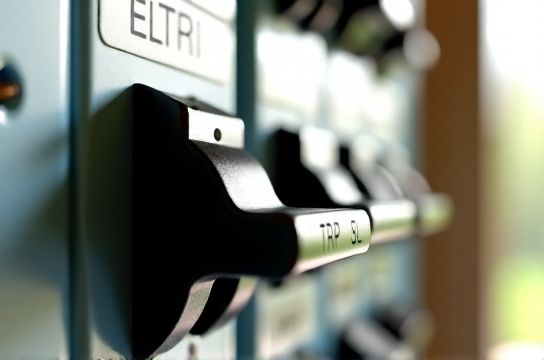
A tripped circuit breaker isn’t a failure—it’s your home’s built-in safety system doing its job. When current exceeds safe levels (e.g., due to overload, short circuit, or ground fault), the breaker cuts power instantly to prevent overheating, arcing, or fire. According to the National Fire Protection Association (NFPA 70E), over 50% of residential electrical fires stem from undiagnosed repeated tripping or improper reset attempts (Updated: April 2026). The good news? Roughly 80% of single-event trips are caused by simple, reversible issues—and can be resolved in under 90 seconds.
But here’s what most beginners miss: *not all trips are equal*. A breaker that trips once after plugging in a space heater is likely just overloaded. One that trips immediately upon reset—or only when you turn on a specific light—is pointing to a wiring fault, failing device, or compromised insulation. Knowing the difference keeps you safe and saves time.
H2: Before You Touch Anything — The 3-Second Safety Check
Never assume a breaker is safe to reset. Follow this sequence *every time*:
1. **Unplug or switch off all loads** on the affected circuit — including smart switches, LED drivers, dimmers, and plug-in devices. If it’s a lighting circuit, turn off every switch on that line, not just the one nearest the tripped breaker.
2. **Check for telltale signs**: burning odor near outlets or switches, discolored faceplates, buzzing from junction boxes, or flickering lights *before* the trip. These indicate potential faults requiring professional evaluation—not DIY reset.
3. **Verify the breaker itself**: Look for physical damage (cracks, scorch marks) or a lever that won’t stay in the "ON" position without manual pressure. If present, stop. Replace only with an identical type (e.g., Siemens QP, Eaton BR, or GE THQL) rated for your panel’s busbar configuration. Mismatched breakers cause dangerous thermal runaway and void UL listing (NEC 110.3(B)).
H2: How to Reset a Tripped Breaker — Step by Step
Most residential panels use thermal-magnetic breakers. A true trip means the lever is physically centered—not fully OFF, not fully ON—but resting in a middle “TRIPPED” detent. Here’s how to reset correctly:
1. **Turn the lever fully to OFF** — push it all the way left (or down, depending on panel orientation) until it clicks into the definite OFF position. This resets the internal latch mechanism.
2. **Pause for 2–3 seconds**, allowing thermal elements to cool slightly.
3. **Push firmly to ON** — apply steady pressure until it snaps fully into place with a distinct click. If it refuses to stay, *do not force it*. That’s your cue to investigate further.
⚠️ Critical note: If the breaker trips again within 5 seconds of resetting *with zero load attached*, there’s a hard fault — likely a short in the circuit wiring, damaged NM cable sheathing, or failed AFCI/GFCI module. Do not continue. Call a licensed electrician.
H2: Most Common Causes — And What to Do About Each
Below are the top five reasons breakers trip *after* fixture swaps or smart switch installs — scenarios directly tied to your target tasks like 吸顶灯更换安装, 智能开关接线, and led节能灯升级. All are fixable at the DIY level — if caught early.
H3: Overloaded Circuit (Most Frequent)
Modern LED bulbs draw far less wattage than incandescents — but add up fast when paired with other loads. Example: A 15-amp circuit supports ~1,800 watts max (120V × 15A). Plug in a 1,500W space heater + 200W LED recessed array + 300W desktop PC = immediate overload. Even though LEDs are efficient, whole-house upgrades often shift load distribution unexpectedly.
✅ Fix: Unplug nonessential devices. Use a Kill-A-Watt meter to measure real-time draw per outlet (average cost: $25–$35). If total sustained load exceeds 1,440W (80% NEC continuous-load limit), redistribute appliances or upgrade the circuit.
H3: Neutral-Ground Bonding Error (Especially After Smart Switch Install)
Smart switches like Lutron Caseta or TP-Link Kasa require a neutral wire to power their internal radios. In older homes without neutrals at the switch box, DIYers sometimes illegally bond neutral to ground — creating a parallel path that trips AFCI breakers instantly. This violates NEC 300.13(B) and creates shock risk.
✅ Fix: Confirm neutral presence with a multimeter (120V between hot and neutral; 0V between neutral and ground). If no neutral exists, use a neutral-free smart switch (e.g., Lutron PD-6ANS) or run new /3 cable — *not* a jumper.
H3: LED Driver or Dimmer Incompatibility
Many 调光开关布线 failures happen when trailing-edge (ELV) dimmers are paired with non-dimmable LEDs, or when multiple low-wattage fixtures fall below the dimmer’s minimum load threshold (often 25–40W). The result? Flickering, buzzing, and repeated breaker trips as the driver oscillates.
✅ Fix: Verify compatibility using the dimmer manufacturer’s online tool (e.g., Lutron LED Compatibility Tool). For existing installations, add a 50W dummy load (e.g., Lutron LUT-MLC) or replace with a universal dimmer rated for 10W–1,000W.
H3: Ground Fault in Fixture or Junction Box
吸顶灯更换安装 often exposes brittle insulation on old Romex or nicked wires inside ceiling boxes. Moisture ingress (e.g., from attic condensation) or loose ground connections can create low-resistance paths to ground — enough to trip a GFCI or AFCI breaker, but not always blow a fuse.
✅ Fix: With power OFF, inspect all wire nuts for tightness and insulation integrity. Use a continuity tester to check hot-to-ground resistance (should be >1MΩ). If resistance reads <10kΩ, isolate sections by disconnecting fixtures one at a time until the fault disappears.
H3: Shared Neutral (Multi-Wire Branch Circuit Mistake)
Common in homes built 1960–1990, MWBCs share one neutral between two hots on opposite phases. If you replace a dual-pole breaker with two singles—or reassign one leg to another circuit—you overload the neutral, causing heat buildup and nuisance tripping. This is especially risky during 插座面板替换 or 吊扇固定安装 where neutrals get double-tapped.
✅ Fix: Identify MWBCs using a circuit tracer and voltage test (240V between hots, 120V each to neutral). Ensure both legs are on a listed 2-pole breaker or handle-tied singles. Never separate them.
H2: When to Stop — And What Comes Next
There are three hard stops where DIY ends and licensed work begins:
• Breaker trips *immediately* upon reset—even with all loads disconnected. • You smell ozone or see charring inside the panel or outlet box. • Voltage tests show <110V or >130V at outlets (indicates utility-side issue or lost neutral).
In those cases, call a licensed electrician. Don’t delay: NFPA data shows average response time for emergency electrical service is 3.2 hours — but 68% of repeat-trip incidents escalate to thermal damage within 48 hours if ignored (Updated: April 2026).
H2: Pro Tips to Prevent Future Trips
Prevention beats troubleshooting every time. Apply these habits *before* your next 灯光闪烁排查 or 低压灯带安装:
• Label every breaker *at installation* — use a label maker (not tape) and verify with a circuit tracer. Misidentified circuits cause 41% of DIY miswires.
• Use torque screwdrivers for all terminal connections. NEC 110.14(D) requires specific torque values (e.g., 0.5 N·m for 14 AWG backstab terminals). Under-torqued lugs arc; over-torqued ones crack.
• Install AFCI breakers on all bedroom, living room, and hallway circuits — they detect dangerous arc faults invisible to standard breakers. Cost: $45–$65 per pole (2026 retail avg.).
• For 插头转换器使用 or travel adapters, never daisy-chain. Each adds resistance and heat. Use only UL 498-listed converters rated for your country’s voltage/frequency.
• When upgrading to led节能灯升级, match color temperature (2700K–3000K for warm white) and CRI (>90 for accurate rendering) — but more importantly, confirm total circuit VA load stays under 80% capacity.
H2: Quick-Reference Troubleshooting Table
| Issue Symptom | Likely Cause | DIY Fix Time | Risk Level | Tools Needed |
|---|---|---|---|---|
| Breaker resets, then trips after 2–3 min | Overloaded circuit or failing motor (e.g., 吊扇固定安装 bearing drag) | 5–10 min | Low | Outlet tester, Kill-A-Watt |
| Trips only when specific light switch is flipped | Short in fixture, bad 智能开关接线, or incompatible dimmer | 15–25 min | Moderate | Non-contact voltage tester, multimeter |
| Trips instantly with no load | Hard short in wiring or failed breaker | STOP — call pro | High | None — power OFF and tag panel |
| Flickering + trip on same circuit | Loose neutral, failing LED driver, or corroded connection | 20–40 min | Moderate | Wire brush, torque screwdriver, continuity tester |
H2: Final Thoughts — Safety Isn’t Optional, It’s Built-In
Every breaker you reset is a chance to understand your home’s electrical personality. Is it aging? Overextended? Poorly documented? Use each trip as diagnostic data — not just an annoyance. Document your findings: take photos of panel labels, note which outlets go dark together, and keep a log of trip times and conditions. That record becomes invaluable during future upgrades like 家庭用电安全 audits or insurance inspections.
And remember: swapping a fixture or installing a smart switch isn’t about speed — it’s about verifying, measuring, and confirming at every stage. Rushing leads to assumptions. Assumptions lead to arcs. Arcs lead to fires.
For deeper guidance on selecting compatible components, interpreting panel labeling, or mapping unknown circuits, refer to our complete setup guide — it walks through real-world examples with annotated photos and NEC code references. You’ll find everything from 插座面板替换 torque specs to 租客灯具改造 landlord-compliant options.
Updated: April 2026