Smart Switch Wiring Guide for DIY Homeowners
- 时间:
- 浏览:30
- 来源:Easy Home Repair & DIY Guides
H2: Why Smart Switches Trip Breakers (and How to Stop It)
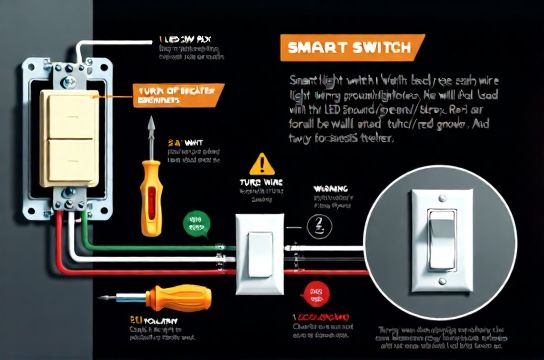
You replaced your old toggle switch with a smart switch—and *pop*. The breaker trips the second you flip it on. Or worse: it works for three days, then starts flickering lights or cutting out at midnight. This isn’t magic. It’s physics—and usually one of four things: missing neutral, overloaded circuit, incompatible load (especially LED), or miswired ground.
Most modern smart switches (like Lutron Caseta, TP-Link Kasa, or Leviton Decora) require a neutral wire in the switch box to power their internal radios and processors. Older homes built before 1985 often lack neutrals at switch locations—only hot and switched-hot run to the box. If you force a neutral-requiring switch into that setup, it may backfeed through the light fixture, overheat wires, or cause erratic behavior. That’s why the first step isn’t grabbing a screwdriver—it’s verifying what’s in your box.
H2: Step 0: Safety First—No Exceptions
Before touching *anything*, turn off the correct circuit breaker—not just the wall switch—and verify power is dead using a non-contact voltage tester (tested on a known live outlet first). Then double-check with a multimeter across hot-to-ground and hot-to-neutral. Label the breaker clearly with masking tape: “Kitchen Lights – SW Box 3”. If you’re unsure which breaker controls the switch, map your panel now—not mid-install.
Never assume a white wire is neutral. In older switch loops, white may be re-marked (with black tape) as hot. Always test. And never bypass grounding—even if the old switch wasn’t grounded. Modern smart switches rely on proper grounding for surge protection and EMI stability. If your box is metal and grounded via armored cable (AC) or conduit, that counts. If it’s plastic with NM-B (Romex) and no ground wire? Stop. You’ll need an electrician—or switch to a neutral-free smart switch (more on that below).
H2: Step 1: Identify Your Switch Box Type
There are three common residential switch box configurations:
• Standard 3-wire (hot, neutral, ground): Ideal for most smart switches. Found in post-1999 construction or renovated homes. • Switch loop (hot + switched-hot only, no neutral): Common in pre-1985 homes. White wire is hot, black is switched-hot. Neutral lives at the fixture—not the switch. • Multi-location (3-way or 4-way): Requires companion smart switches or add-on remotes. Not plug-and-play.
Use your voltage tester to confirm: – One wire reads ~120V to ground when breaker is ON → that’s your line hot. – One wire reads 0V to ground *until* the old switch is flipped ON, then reads ~120V → that’s your load (switched-hot) wire. – A bare copper or green wire → ground. – A white wire that reads 0V to ground *at all times*, even with switch toggled → likely neutral.
If no neutral reads 0V consistently, don’t guess. Use a clamp meter to check for current on the white wire—if it carries load current, it’s not neutral.
H2: Step 2: Match Switch to Load Type
Not all lights play nice with smart switches. Here’s what actually matters:
• LED bulbs: Minimum load requirements vary. Most smart switches need ≥10W total connected load to stay powered and stable. A single 6W LED bulb? May cause flicker or dropout. Solution: Add a bypass resistor (e.g., Lutron LUT-MLC, 2.2W) *at the fixture*, not the switch. Never install resistors inside outlet boxes—they generate heat. • Dimmable LEDs: Only use switches rated for *LED dimming* (not just “incandescent dimmers”). Look for “ELV” (electronic low-voltage) or “MLV” (magnetic low-voltage) compatibility—and match driver type (TRIAC vs. PWM). Mismatch = buzzing, limited range, or premature driver failure. • Ceiling fans: Never use a standard dimmer. Use a fan-speed controller (e.g., Lutron Maestro Fan Control) or a smart switch rated for motor loads (≥1A inrush, UL 508 listed). Standard smart switches can overheat or fail when driving inductive loads. • Smart bulbs + smart switches: Don’t do it. Turning off the switch cuts power to the bulb’s radio. You’ll lose remote control and scheduling. Either use smart switches *or* smart bulbs—not both on the same circuit.
H2: Step 3: Wiring by Scenario
Scenario A: You Have Neutral (Standard 3-Wire Box)
1. Turn OFF breaker and verify zero voltage. 2. Remove old switch. Note wire functions: black (hot), red or black (load), white (neutral), bare copper (ground). 3. Connect smart switch per manufacturer diagram: – Line (hot) → black screw or “LINE” terminal – Load → brass or “LOAD” terminal – Neutral → silver or “NEUTRAL” terminal (critical—don’t skip) – Ground → green screw or bare pigtail 4. Tuck wires neatly. No insulation nicked. No copper exposed beyond ⅜”. 5. Mount securely—no sideways torque on terminals. 6. Restore power. Test manually, then via app.
Scenario B: No Neutral (Switch Loop)
Your options are limited—and none are perfect:
• Use a neutral-free smart switch: Lutron Caseta (PD-6ANS), Brilliant Control, or Inovelli Red Series (with firmware v2.17+). These draw tiny current through the load path. But they require ≥25W minimum load for reliable operation—so two 15W LEDs *might* work; one 9W LED won’t. Also, they can’t power auxiliary devices (e.g., status LEDs) without load present. • Run a new cable: 14/4 NM-B from fixture to switch box (adds neutral + ground). Labor-intensive but code-compliant. Requires drywall patching and inspection in most jurisdictions. • Abandon the switch location: Install a smart switch *at the fixture* (if accessible) and use a wireless remote at the wall. Less elegant—but safe and effective.
Do NOT use capacitive “neutral simulators” or bootleg grounds. They violate NEC 2023 Article 404.9(B) and create shock/fire hazards.
Scenario C: 3-Way Setup
Forget replacing just one switch. You’ll need either: – Two smart switches (e.g., Lutron Caseta PD-6WCL + Pico remote), where one replaces the main hot-switch and the other replaces the traveler-end switch. – Or a smart master + mechanical slave (e.g., GE Enbrighten Z-Wave 3-Way Kit). The slave doesn’t need neutral or power—it just sends signals.
Key tip: Label travelers *before* disconnecting. Use colored tape: red = traveler A, blue = traveler B. Confusing them causes open circuits or phantom tripping.
H2: Step 4: Troubleshooting Real Problems
Lights flicker after install? Check: – Total wattage ≥10W (add bypass if needed) – Bulbs are dimmable *and* listed on the switch’s compatibility page (Updated: April 2026 — Lutron’s compatibility database covers 92% of North American LED models) – No shared neutrals with other circuits (causes ghost voltage and nuisance tripping)
Breaker trips immediately? Re-check: – Hot and load aren’t swapped (causes direct short) – Ground isn’t touching hot or load terminal – No stray strands piercing insulation behind the yoke
Switch won’t pair? Confirm: – Wi-Fi is 2.4 GHz only (no 5 GHz or mesh steering) – Router firewall isn’t blocking UDP port 5353 (mDNS) – Device is within 30 ft of router or has a Zigbee/Z-Wave repeater nearby
H2: When to Call a Licensed Electrician
DIY stops where safety begins. Call a pro if: • Your panel is Federal Pacific (FPE), Zinsco, or Pushmatic—these are fire-prone and often uninsurable. • You find aluminum wiring (silver-colored, flexible) without COPALUM crimps—aluminum + smart switch terminals = oxidation risk and overheating. • The box is overfilled (>18 cu in for 14-gauge wires + device). Adding a smart switch with bulky terminals may exceed fill capacity—requiring a mud ring or deeper box. • You smell burning, see discolored outlets, or measure >5V between neutral and ground at the switch (indicates lost neutral or shared neutral fault).
H2: Upgrading Beyond the Switch
Once your smart switch is stable, consider these logical next steps—each builds on the same safety habits:
• 吸顶灯更换安装: Match fixture weight to ceiling box rating (15 lb max for standard plastic boxes; 35+ lb requires retrofit brace). Always turn off power *at the breaker*, not just the switch—ceiling fixtures often have constant hot wires even when switch is off. • LED节能灯升级: Replace 60W incandescents with 8.5W LEDs (120 lm/W efficacy, Updated: April 2026). But verify base type (E26 vs E12), color temp (2700K–3000K for warm white), and CRI >90 for accurate skin tones. • 吊扇固定安装: Use a UL-listed fan-rated box (marked “For Use With Ceiling Fans”)—not a standard junction box. Vibration loosens standard screws in <6 months. • 插座面板替换: GFCI outlets are required in kitchens, bathrooms, garages, and outdoors (NEC 2023 210.8). Test monthly using the “TEST” button—GFCIs degrade silently. • 灯光闪烁排查: Start at the source—loose neutral at the panel causes whole-house flicker. If only one circuit blinks under load, suspect corroded wire nuts or failing breaker lugs.
H2: Smart Switch Comparison: What Actually Works for DIY
| Model | Neutral Required? | Max Load (LED) | 3-Way Capable | Dimming Type | DIY Verdict |
|---|---|---|---|---|---|
| Lutron Caseta PD-6ANS | No | 150W | Yes (w/ Pico) | Forward-phase (TRIAC) | ★★★★☆ (Best for no-neutral) |
| TP-Link Kasa HS220 | Yes | 600W incan / 150W LED | No (needs add-on) | Forward-phase | ★★★☆☆ (Good app, strict neutral need) |
| Inovelli Red Series (v2.17+) | No | 1000W | Yes (built-in) | Forward & reverse-phase | ★★★★★ (Zigbee, robust, but steeper learning curve) |
| Leviton DW6HD | Yes | 450W | Yes (w/ accessory) | Forward-phase | ★★★☆☆ (Commercial-grade, pricier) |
H2: Final Checks Before You Walk Away
• Tighten all terminal screws to 14 in-lb (use a torque screwdriver—over-tightening strips threads; under-tightening causes arcing). • Verify no wire insulation is pinched behind the mounting strap. • Test operation at least 5x manually and via app—wait 2 minutes between cycles to catch thermal issues. • Label the switch clearly: “Kitchen Lights – Smart Switch (Lutron)” on the plate or inside the box. • Update your home electrical map. Note circuit number, wire gauge (14 AWG = 15A, 12 AWG = 20A), and device count. This helps future troubleshooting—and makes insurance claims smoother.
H2: Wrapping Up Safely
Smart switches aren’t just about voice control. They’re your first real step into understanding household circuits—how loads interact, how neutrals complete paths, and why breakers trip *for a reason*. Every time you correctly identify a switch loop or add a bypass resistor, you’re building intuition that prevents bigger mistakes later: like overloading a 15A circuit with space heaters and microwaves, or ignoring a warm outlet faceplate.
If you hit a wall—say, your breaker keeps tripping despite correct wiring—the issue may lie upstream: a loose neutral bar connection in the panel, a failing breaker, or moisture in an outdoor junction box. That’s when you lean on professional help. There’s zero shame in that. In fact, it’s the hallmark of a responsible DIYer.
For deeper wiring diagrams, NEC reference tables, and printable safety checklists, visit our complete setup guide. All resources updated monthly and reviewed by licensed master electricians (Updated: April 2026).