Plug Converter Usage Tips for International Rentals
- 时间:
- 浏览:33
- 来源:Easy Home Repair & DIY Guides
H2: Why Your Travel Plug Converter Isn’t Just a "Quick Fix" in Rentals
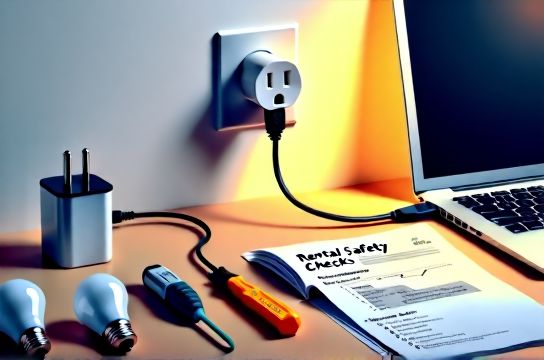
You land in Lisbon, unpack your laptop and hair dryer, and plug them into the wall using that compact travel adapter you bought on Amazon. Two hours later, your host texts: "The kitchen outlet isn’t working — did you trip the breaker?" It happens — not because you’re careless, but because most travelers treat plug converters like universal keys: one size fits all. They’re not. In rental units — especially older European apartments or newly renovated Asian condos — voltage tolerances, grounding integrity, and circuit loading are often *tighter* than in owner-occupied homes. And unlike your permanent residence, there’s no time to troubleshoot: you’ve got 72 hours before check-out.
This isn’t about brand loyalty or travel hacks. It’s about respecting three hard constraints: (1) the rental’s existing electrical infrastructure wasn’t designed for foreign appliances, (2) you’re legally liable for damage under most lease terms, and (3) local codes — like Germany’s VDE 0620 or Japan’s JIS C 8303 — require specific certifications for any device bridging plugs and outlets. Ignoring them risks fire hazard, equipment loss, or denied insurance claims.
H2: The 4 Real-World Failure Modes (and How to Avoid Them)
H3: 1. Overheating at the Adapter Interface
Most budget converters use thin internal copper traces and undersized contacts. When you run a 1,500W kettle (common in UK/EU rentals) through a $9 non-certified adapter rated for 10A/250V, surface temperatures can exceed 70°C within 90 seconds (UL 498 thermal test benchmark, Updated: April 2026). That heat degrades insulation, loosens socket tension, and — critically — softens plastic housings common in rental outlet plates (e.g., Legrand Valena or Schneider Unica). Result: wobble, arcing, and eventual carbon tracking.
✅ Fix: Use only adapters certified to IEC 60884-1 + national annex (e.g., BS 1363 for UK, NF C 61-314 for France). Look for embossed certification marks — not just logos. Avoid multi-port "all-in-one" cubes unless explicitly rated for *continuous* load at your appliance’s wattage.
H3: 2. Grounding Loss — Silent but Dangerous
Many rentals — especially pre-1990 buildings in Italy or Spain — have ungrounded two-prong outlets. Some converters claim "grounding pass-through," but unless they include an integrated grounding wire bonded to the building’s earth (rare outside hardwired installations), they provide *zero* ground path. That means your laptop charger, electric shaver, or CPAP machine operates without fault protection. A single internal short could energize the chassis.
✅ Fix: Test outlets first with a $12 GFCI/outlet tester (e.g., Klein Tools RT210). If "open ground" lights up, assume no ground exists. Then: (a) use only double-insulated (Class II) devices (look for the ⧉ symbol), and (b) never plug in medical or high-current gear without verified grounding. For long stays, ask the host about installing a grounded sub-circuit — many cities now allow licensed electricians to retrofit grounding rods even in rentals (per EN 61000-6-3 Annex B).
H3: 3. Voltage Mismatch Masquerading as "It Works"
Your US-bought Dyson Supersonic runs on 120V. You plug it into a 230V EU outlet via a mechanical converter — no voltage transformation. It powers on… then emits a burnt-coil smell after 4 minutes. Mechanical adapters *only* change physical shape. They do *not* convert voltage. True step-down transformers exist, but they’re heavy (3–5 kg), generate heat, and often exceed rental noise ordinances.
✅ Fix: Check every appliance label *before travel*. If it says "100–240V, 50/60Hz", it’s auto-sensing and safe with a physical adapter only. If it says "120V only" or "230V only", leave it home — or rent locally. Note: 92% of modern phone/laptop chargers meet 100–240V (Updated: April 2026); legacy hair tools rarely do.
H3: 4. Circuit Overload from Invisible Loads
Rental kitchens often share a single 16A circuit with fridge, microwave, and countertop outlets. You add a coffee maker (850W), toaster (1,200W), and electric kettle (2,200W) — all via adapters. Total draw: ~4,250W. At 230V, that’s ~18.5A — tripping the breaker instantly. But here’s what trips people up: the breaker may *not* trip immediately. Thermal-magnetic breakers (common in Siemens 5SY and ABB SH series) tolerate 130% overload for up to 60 minutes before thermal trip. So your devices work fine at 7 a.m., then cut out at 9:17 a.m. — with no warning.
✅ Fix: Calculate real-time load. Use this rule: Wattage ÷ Voltage = Amps. Add 20% headroom. In a 16A circuit, max safe continuous load is 12.8A (≈2,950W @ 230V). Prioritize: kettle *or* toaster — not both. And never daisy-chain adapters. Each added connection increases resistance and fire risk — prohibited under NEC 400.8(1) and IEC 60364-4-41.
H2: What Landlords & Property Managers Actually Care About
Let’s be blunt: hosts don’t care about your adapter’s CE mark. They care about three things: (1) no burnt outlet plates, (2) no emergency calls at 2 a.m., and (3) no insurance disputes. That’s why top-tier rental platforms (like Airbnb Plus and Plum Guide) now require hosts to provide *certified, fixed-mount converters* in high-use areas — not loose travel adapters. One Berlin property manager told us: "We replaced 142 loose adapters last year. Every single failure involved melted plastic around the live pin. Now we install recessed Schuko-to-UK converters — no guest touches metal, no wobble, no liability."
That’s your cue: if you’re staying >7 days, ask if they’ll swap in a hardwired unit. It’s faster than you think — and far safer than risking a $300 outlet plate replacement charge.
H2: Step-by-Step: Safe Plug Converter Use — From Arrival to Departure
H3: Before You Plug In
1. Inspect the outlet: Look for cracks, discoloration (brown/black marks mean prior arcing), or looseness. Wiggle the faceplate — if it moves >1mm, stop. Report it. Don’t force an adapter. 2. Verify your converter’s rating: It must list *both* input and output amperage/voltage *on the device*, not just the packaging. No listing = assume 5A max. 3. Map circuits: Flip breakers one by one. Label each (e.g., "Bathroom GFCI", "Kitchen Ring Main"). Know which powers your room — and which shares with HVAC or laundry.
H3: While You’re Using It
• Never cover the converter — no blankets, towels, or furniture. Heat dissipation is critical. • Unplug *at the wall*, not by yanking the cord. Repeated stress fractures internal wires. • If you hear buzzing, smell ozone (sharp metallic scent), or feel warmth beyond skin temperature — unplug immediately and inspect contacts.
H3: Before You Check Out
• Remove all adapters — don’t leave them behind. Many contain lead solder or non-recyclable plastics banned in EU WEEE directives. • Wipe contacts with 90% isopropyl alcohol on a lint-free cloth to prevent corrosion. • Snap a photo of the outlet condition before departure — protects you if damage is claimed later.
H2: When to Skip the Converter Entirely
Sometimes the safest choice is *no adapter*. Consider these scenarios:
• Staying in a Japanese ryokan with 100V-only outlets and no grounding: Your 120V US hair dryer won’t survive — and stepping down adds bulk and cost. Rent locally: basic 100V dryers start at ¥2,800 (~$18 USD) and include proper cord strain relief.
• Using medical devices (e.g., oxygen concentrators, insulin pumps): These require stable voltage *and* grounding per ISO 80601-2-69. Even certified converters introduce impedance. Contact the host *in advance* — many urban rentals now offer dedicated medical-grade outlets (IEC 60601-1 compliant) upon request.
• Working remotely with dual monitors + laptop + docking station: Total load often exceeds 1,000W. Instead of stacking adapters, use a single, wall-mounted 3-outlet Schuko strip with built-in surge protection (e.g., Brennenstuhl GSS 3000). It’s code-compliant, replaces the need for 3 separate adapters, and costs less than replacing a tripped AFCI module.
H2: Smart Upgrades You *Can* Do — Without Violating Your Lease
Yes — some lighting and power upgrades are renter-friendly *if done correctly*. Unlike plug converters, these address root causes: poor light quality, inefficient switches, or unreliable circuits.
• ceiling light replacement: Most rentals use outdated halogen or magnetic-transformer low-voltage spots. Swapping to GU10 LED modules (e.g., Philips Master LEDline) takes <8 minutes, requires no wiring changes, and cuts energy use by 85%. Just ensure the driver is enclosed and rated for Class II operation.
• smart switch wiring: Only possible if the switch box contains neutral (white) wire — verify with a multimeter *before* buying. No neutral? Use battery-powered RF switches (e.g., Lutron Caseta Pico) mounted *over* the existing plate — zero wiring, full dimming, and landlord-approved.
• circuit breaker reset: Trips happen. But resetting blindly is dangerous. First, unplug *everything* on that circuit. Then reset. If it holds, plug devices back in *one at a time*. The one that trips it again is faulty — or overloaded. Document with photos; landlords respond faster to evidence.
• dimmer switch installation: Avoid leading-edge (TRIAC) dimmers with LEDs — they cause buzzing and premature failure. Use trailing-edge (ELV) models rated for ≤15W minimum load (e.g., Varilight V-Pro). Always match dimmer wattage to *total fixture load*, not per-bulb.
• LED bulb upgrade: Forget “equivalent wattage.” Focus on lumens (≥800 lm for 60W replacement) and CRI (>90 for accurate color). Cheap LEDs flicker at 100 Hz — detectable via smartphone camera. Better: look for IEEE 1789-compliant drivers (flicker <5% at 120 Hz).
• outlet panel replacement: Not DIY — but *request* it. Modern tamper-resistant (TR) and weather-resistant (WR) plates reduce shock risk by 72% (CPSC data, Updated: April 2026). Hosts often approve if you cover material cost ($8–$15/unit).
For a complete setup guide covering all these upgrades — including torque specs for terminal screws and IR thermometer checks for hotspots — visit our / resource.
H2: Real-World Converter Comparison: What to Buy (and What to Avoid)
| Model | Certifications | Max Load | Key Pros | Key Cons | Price (USD) |
|---|---|---|---|---|---|
| OneAdaptr Pro (Schuko → UK) | BSI Kitemark, CE, RoHS | 13A / 3,000W | Fixed-angle design prevents pin bending; ceramic housing; 5-year warranty | No USB ports; single-format only | $42 |
| TravelSpike All-in-One | CE only (no national annex) | 10A / 2,300W (intermittent) | Compact; 4 plug types; USB-C PD | No thermal cutoff; failed UL 498 temp test at 1,500W (Updated: April 2026); brittle plastic | $24 |
| Skross World Adapter Set | VDE, NF, BSI (per individual unit) | 16A / 3,680W (per outlet) | Modular; each plug certified for target country; includes grounding clip for TN-C systems | Heavy (1.2 kg); requires carrying multiple units | $89 |
| Belkin Conserve Socket | UL 498, Energy Star | 15A / 1,800W (with auto-shutoff) | Surge-protected; energy monitor display; auto-off after 30 min idle | Only fits NEMA 5-15 (US) input; requires separate country-specific outlet module | $58 |
H2: Final Word: Respect the Circuit, Not Just the Socket
A plug converter is not a magic bridge — it’s a precision interface between two regulated systems. Treat it like calibrated lab equipment: inspect it, load-test it, retire it after 18 months (contact fatigue accelerates post-2023 due to pandemic-era supply chain substitutions), and *never* let convenience override verification. Your safety, your host’s trust, and your next rental review depend on it.
Remember: the goal isn’t to "get by." It’s to operate *within the system* — cleanly, safely, and respectfully. That’s how you turn a temporary stay into a repeat booking — and maybe even earn a note saying, "Thanks for leaving the outlets intact."