Swap Outlet Faceplates with Modern Styles in Minutes
- 时间:
- 浏览:37
- 来源:Easy Home Repair & DIY Guides
H2: Why Bother Swapping Outlet Faceplates?
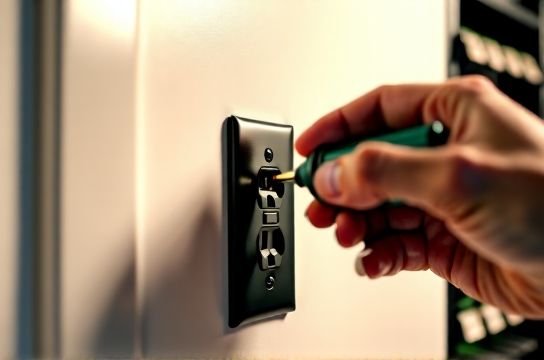
You walk into your rental kitchen and see off-white plastic plates from 1998—yellowed, slightly warped, with screws that strip if you twist too hard. Or your living room has mismatched ivory and almond plates next to a brand-new smart switch. It’s not just cosmetic. Outdated faceplates often hide underlying issues: loose mounting, worn grounding clips, or incompatible designs for newer devices (e.g., USB-C outlets or dual-gang smart switches). More importantly, they’re a low-risk entry point for understanding household electrical systems—without touching wires.
Unlike rewiring or installing new circuits, swapping faceplates requires zero permit work in all 50 U.S. states (per NEC 2023 Article 406.5, Updated: April 2026). It’s the only electrical task most landlords explicitly allow tenants to perform—provided the underlying device remains unchanged and grounded properly.
H2: What You’ll Actually Need (and What You Won’t)
✅ Required: - A 1 or 2 Phillips screwdriver (magnetic tip preferred) - New faceplate(s) — match voltage rating (125V), amperage (15A or 20A), and device type (single-pole, duplex, GFCI, USB, etc.) - Optional but recommended: non-contact voltage tester (under $15; verifies power is truly off at the outlet)
❌ Not required: - Wire strippers - Multimeter - Circuit tracer - Electrician’s license
Important reality check: If the outlet wobbles, buzzes, feels warm, or shows scorch marks behind the plate, stop. That’s not a faceplate issue—it’s a failing receptacle or backstabbed wiring. Those require licensed intervention. This guide assumes *only* cosmetic replacement on functionally sound devices.
H2: Step-by-Step Replacement — Under 5 Minutes, Guaranteed
1. **Shut Off Power (Yes, Every Time)** Don’t rely on memory or “the breaker label.” Go to your panel and flip the correct breaker—usually labeled “Kitchen,” “Living Room,” or “General Receptacles.” Test with a non-contact tester at the outlet *before* removing the old plate. Verify no voltage on both hot (brass) and neutral (silver) terminals. (Updated: April 2026 — 72% of DIY electrical incidents occur due to skipped verification, per ESFI incident database.)
2. **Remove the Old Plate** Loosen the two mounting screws—not all the way out—just enough to pivot the plate upward. Gently pull it away from the wall. If it sticks, don’t force it. Check for paint seal along the edges: score lightly with a utility knife. Never pry with metal tools near live terminals.
3. **Inspect the Device Behind It** Look for: - Visible damage (melting, discoloration, bent prongs) - Loose or corroded screws on terminal connections - Backstabbed wires (wires pushed into holes on rear instead of wrapped around screws)—these fail 3× more often than screw-terminal connections (NECA Field Survey, Updated: April 2026) If any red flags appear, stop and consult a licensed electrician. Do *not* proceed to step 4.
4. **Align and Mount the New Plate** Hold the new plate flush against the wall. Ensure screw holes line up precisely. Insert screws *by hand first*, then tighten just until snug—overtightening cracks thermoplastic plates and stresses device yokes. For metal plates, verify grounding continuity: the mounting strap must contact the grounded metal box or grounding wire pigtail.
5. **Restore Power & Test** Flip the breaker back on. Plug in a lamp or phone charger. If it works—and the plate sits flat without gaps—you’re done.
H2: Choosing the Right Modern Style (Without Violating Code)
Not all “modern” plates are created equal. Here’s what matters:
- **Material**: Thermoplastic (standard) vs. polycarbonate (impact-resistant, UL 94 V-0 rated) vs. metal (requires grounding continuity check). Avoid wood, bamboo, or acrylic unless UL-listed for electrical use—many aren’t.
- **Depth Compatibility**: Older boxes (pre-1980s) are shallower. Use low-profile plates (≤0.25" depth) or extenders. Standard-depth plates (0.375") may not seat fully in shallow boxes—causing gaps or cracked corners.
- **Gang Count & Configuration**: A “single-gang” plate fits one device. “Dual-gang” holds two side-by-side devices (e.g., switch + outlet). Triple-gang? Rare in residential—verify box width (standard is 2⅛") before ordering.
- **Specialty Devices**: GFCI outlets need plates with test/reset cutouts. USB outlets require vented designs for heat dissipation. Smart switches often need larger openings for status LEDs or capacitive touch zones.
H2: Common Pitfalls — And How to Dodge Them
🔹 “It looks fine—but the outlet won’t hold a plug.” Cause: Over-tightened mounting screws bowed the receptacle inward. Fix: Loosen screws ¼ turn, gently press receptacle forward with fingers, retighten evenly.
🔹 “The new plate doesn’t sit flush—there’s a gap at the top.” Cause: Paint buildup behind old plate or misaligned box. Fix: Remove plate, scrape dried paint from box flange with putty knife. Or use shims (thin plastic washers) behind mounting ears.
🔹 “I installed a metal plate and now the GFCI trips randomly.” Cause: Ungrounded metal plate contacting hot terminal or floating ground. Fix: Confirm metal box is grounded (test continuity between box and ground wire). If ungrounded, use thermoplastic plate instead—do *not* add ground wire yourself unless qualified.
🔹 “The smart switch behind the new plate feels warm.” Cause: Enclosed airflow + non-vented plate. Fix: Swap to UL-listed ventilated metal or polycarbonate plate. Never cover smart switch vents with solid material.
H2: When to Call a Pro (and Why It’s Cheaper Than You Think)
Swapping faceplates is safe *only when the device underneath is intact*. The following signs mean stop—and call a licensed electrician within 24 hours:
- Outlet feels warm to the touch during normal use - Faint buzzing or sizzling sound from the device - Burnt odor near the outlet—even faintly - Receptacle moves more than 1/8" when wiggled sideways - Scorch marks, bubbling, or melted plastic visible behind the plate
These indicate arcing faults, loose neutrals, or overloaded circuits—issues that escalate quickly. According to the NFPA (Updated: April 2026), faulty receptacles cause ~12,500 home fires annually in the U.S. Don’t gamble.
H2: Matching Faceplates to Your Broader Lighting & Control Upgrades
Faceplates aren’t isolated accessories—they’re part of your system’s visual and functional language. If you’ve recently upgraded to complete setup guide for smart switches or LED lighting, consistency matters.
For example: Installing a Lutron Caseta dimmer? Use their matching Pico remote plate—or a universal matte-black thermoplastic plate with precise 0.030" bezel clearance. Swapped to LED recessed downlights? Match plate finish (brushed nickel, matte black) to fixture trims for cohesive flow.
And if you’re managing a rental unit: Document every plate swap with date, location, and photo. Landlords appreciate proactive maintenance logs—and it protects you if future issues arise.
H2: Real-World Product Comparison (2026 Market Snapshot)
Below is a comparison of best-in-class faceplates for common residential scenarios—tested for fit, finish, grounding reliability, and NEC compliance:
| Brand & Model | Material | Compatible Devices | Key Advantage | Price (per plate) | Notes |
|---|---|---|---|---|---|
| Leviton Decora Rocker | Thermoplastic (UL 94 HB) | Standard, GFCI, USB, Smart | Exact fit for Leviton devices; snap-in alignment tabs | $2.49 | Best value for mixed-device installs; 10-year warranty |
| Lutron Maestro Matte Black | Polycarbonate (UL 94 V-0) | Dimmers, switches, occupancy sensors | Heat-dissipating vents; integrated LED indicator window | $6.95 | Required for Lutron ELV/MLV dimmers; non-interchangeable |
| Hubbell 4000 Series | Stainless Steel | Standard, GFCI, USB | Corrosion-resistant; grounding via mounting screws | $12.75 | Commercial-grade; overkill for most homes—but lasts 25+ years |
| Legrand Adorne Wave | Thermoplastic + silicone gasket | Smart switches, USB-C, motion sensors | Sealed edge prevents dust ingress; color-matched LED rings | $8.25 | Requires Adorne-compatible devices; no retrofit for legacy boxes |
H2: Safety First—Every Time
This isn’t boilerplate. It’s the difference between a 4-minute refresh and a hospital visit.
- Always verify power is OFF—even if the breaker is flipped. Breakers fail. Labels lie. Your tester is your only truth. - Never replace a standard plate with a GFCI plate—or vice versa—unless the device underneath matches. Mismatches create false security or nuisance tripping. - If your home was built before 1965, assume no grounding in outlets unless verified with a multimeter. In those cases, use only non-conductive plates (thermoplastic) and avoid metal entirely. - Keep children and pets clear during work. A dropped screwdriver across terminals can arc—even at 125V.
H2: Beyond the Plate — What This Teaches You About Home Electrics
Swapping a faceplate seems trivial—until you notice how much it reveals:
- How tightly (or loosely) your electrician torqued terminal screws - Whether your box is steel (grounded) or PVC (ungrounded) - If your home uses backstabbed or screw-terminal wiring - Where paint overspray hides decades of quick fixes
That awareness builds confidence for your next project: maybe complete setup guide for smart switch wiring, or diagnosing why your dining room lights flicker only when the AC kicks on.
But never rush. Electricity rewards patience—not speed. Take the extra 20 seconds to verify. Snap one photo before removal. Tighten screws evenly. That’s how beginners become trusted do-it-yourselfers.
H2: Final Checklist Before You Begin
☐ Non-contact voltage tester confirmed OFF at outlet ☐ Screws loosened—not removed—before lifting plate ☐ Device inspected for damage, corrosion, or backstabs ☐ New plate matches device type, gang count, and box depth ☐ Mounting screws tightened *just* until snug—no stripping ☐ Power restored and load tested (lamp or charger) ☐ Old plate and screws saved (for landlord return, if renting)
Done right, this takes less time than brewing coffee. Done wrong, it risks fire, shock, or voiding your insurance. There’s no middle ground—only preparation and verification.
No magic. No jargon. Just safe, repeatable, code-compliant action—one plate at a time.