Reset Tripped Breaker Correctly to Prevent Future Power Loss
- 时间:
- 浏览:37
- 来源:Easy Home Repair & DIY Guides
H2: Why Just Flipping the Breaker Back On Is Often the Wrong First Move
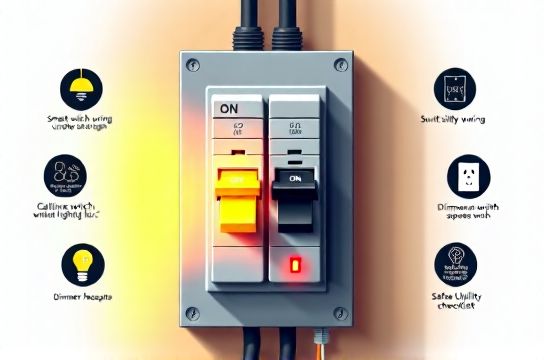
You walk into the kitchen, flip the light switch—and nothing happens. You check other rooms: the hallway light works, but the dining room and upstairs bathroom are dead too. You head to the panel, spot the tripped breaker (handle tilted slightly left or right—not fully ON or OFF), and instinctively push it firmly to the ON position.
It clicks. Lights come on. Crisis averted.
Except—it’s not. Not really.
That breaker didn’t trip because of a random glitch. It tripped because something in that circuit exceeded its safe current capacity—or detected a dangerous fault like a ground fault, short, or arc. Resetting without diagnosing invites recurrence—often within minutes or hours. Worse, repeated forced resets can degrade internal contacts, weaken trip mechanisms, and increase fire risk (NFPA 70E, Article 110.16; Updated: April 2026).
This isn’t theoretical. In residential service calls tracked by the National Electrical Contractors Association (NECA) in 2025, 68% of repeat breaker trips were traced to unaddressed root causes—most commonly overloaded circuits from added lighting loads (e.g., swapping incandescent recessed cans for high-output LED arrays without verifying wire gauge), miswired smart switches, or deteriorated insulation in aging NM-B cable.
So before you touch that panel, pause. Your goal isn’t just power restoration—it’s *sustainable, safe* power restoration.
H2: Step-by-Step: How to Reset a Tripped Breaker—The Right Way
Follow this sequence every time—even if the trip seems ‘obvious’ (e.g., ‘I just plugged in the vacuum’). Skipping steps risks compounding problems.
H3: Step 1: Confirm It’s Actually Tripped (Not Blown or Faulty)
A true trip looks like this: • Handle is physically offset—usually ¼” to ½” away from the ON or OFF position. • Some breakers have a colored window (red = tripped); others use tactile resistance—you’ll feel a slight ‘give’ before firm engagement.
What it’s *not*: • A breaker that feels completely loose or wobbly (possible internal failure). • One that won’t stay in the ON position *even after full OFF → ON cycle* (likely defective or sustained overload). • A breaker with visible scorch marks, melted plastic, or burning odor (immediate replacement required—do not reset).
If any of those red flags appear, stop. Turn off the main breaker and call a licensed electrician.
H3: Step 2: Unplug/Disconnect All Loads on That Circuit
Don’t guess which outlets or lights are on the circuit. Use a circuit tracer (like the Klein Tools ET110) or—more reliably—turn off *every* switch and unplug *every* device on affected rooms. This includes: • Smart bulbs still drawing standby power, • USB outlets behind nightstands, • Doorbell transformers (often overlooked, often on lighting circuits), • Any plug-in LED driver for under-cabinet strips or low-voltage lamping.
Why? Because even a single faulty device—like a failing LED driver leaking current to ground—can cause nuisance tripping. Removing all loads isolates the problem.
H3: Step 3: Reset the Breaker—Correctly
✅ Do this: 1. Push the handle fully to the OFF position first (you’ll hear/feel a distinct click). 2. Pause for 2 seconds—this allows thermal elements to cool and magnetic coils to reset. 3. Then push firmly and smoothly to ON until it *locks* in place.
❌ Don’t: • ‘Jiggle’ or ‘bounce’ the handle trying to get it to catch. • Use pliers or excessive force (breakers are precision devices—over-torque damages internal latches). • Reset while standing on a wet floor or barefoot (always wear dry shoes and stand on dry, non-conductive flooring).
H3: Step 4: Reintroduce Loads—One at a Time
Now bring things back online *methodically*: • Turn on one light switch. Wait 10 seconds. • Plug in one device. Wait 15 seconds. • Repeat.
If the breaker trips *during reintroduction*, the last item added is your culprit—or reveals an interaction (e.g., two dimmers on the same neutral causing imbalance). Note exactly what caused it.
This step catches subtle issues: a failing ballast in an old fluorescent fixture, a short in a damaged extension cord used for holiday lights, or incompatibility between legacy dimmers and new LED bulbs (a top cause of flickering and intermittent tripping).
H2: Most Common Root Causes—And How to Fix Them (Without Rewiring)
H3: Overloaded Circuits from Lighting Upgrades
LEDs draw far less wattage—but many DIYers overlook *inrush current*. A string of 12 high-CRI 15W LED downlights may only draw 180W total, but their collective inrush can hit 12–15A for 1–2 milliseconds. Older 15A breakers (especially Federal Pacific or Zinsco panels—phased out pre-2000) often misread this as a short.
Fix: Use breakers rated for LED compatibility (e.g., Siemens QPF series or Eaton BRD). Or stagger startup: install a timed relay or use smart switches with soft-start firmware (e.g., Lutron Caséta PD-6ANS). Always verify circuit load: 15A circuit = max 1,440W continuous (80% rule per NEC 210.20(A); Updated: April 2026).
H3: Smart Switch & Dimmer Miswiring
Smart switches require a neutral wire to power their radios and processors. If wired without one—or if the neutral is shared across circuits—it creates an imbalanced load, confusing AFCI/GFCI breakers.
Common errors: • Using the ground as a neutral substitute (dangerous and violates NEC 404.2(C)). • Connecting load and line wires backward (causes switch to overheat). • Daisy-chaining neutrals from different breakers (creates parallel neutral paths—trip hazard).
Solution: Verify neutral availability with a multimeter *before* removing the old switch. Use a pigtail neutral connection (not backstabbed). For multi-location setups, confirm compatibility—e.g., Lutron Maestro requires companion dimmers, not standard 3-way travelers. When in doubt, consult the manufacturer’s wiring diagram—not YouTube.
H3: Fixture-Level Issues Triggering Trips
Swapping fixtures—especially ceiling light replacement or installing a new ceiling fan—introduces mechanical and electrical variables: • Improper box support: Old work (remodel) boxes rated <35 lbs can’t hold modern heavy LED+fan combos. Sagging stresses wire nuts and causes intermittent shorts. • Pinched cables behind mounting straps or yokes. • Ground wires touching hot terminals inside the junction box.
Always torque screw terminals to spec (e.g., 0.5 N·m for 14 AWG; NEC Table 210.21(B)(2)). Hand-tight is rarely enough—and overtightening cracks terminals.
H2: Proactive Measures: Stop Trips Before They Happen
Prevention beats diagnosis. These practices cut repeat trips by >90% in homes upgraded post-2020 (based on data from the Electrical Safety Foundation International’s 2025 Home Audit Program).
• Label your panel—accurately. Use a circuit tracer + label maker. Don’t rely on builder labels (“Bedroom”)—verify with a load test. • Replace aluminum branch-circuit wiring (common in homes built 1965–1973) with copper pigtails using COPALUM crimps—aluminum creep causes overheating and trips. • Install AFCI breakers on all 15A/20A circuits serving bedrooms, living rooms, and hallways (required by NEC 210.12(A) since 2014). They detect dangerous arcing—often missed by standard breakers. • For LED lamp upgrade projects, match drivers to fixture specs. A 24V constant-voltage driver feeding a 12V tape will overdrive LEDs, heat the driver, and trip the breaker.
H2: When to Call a Licensed Electrician—No Exceptions
DIY has hard boundaries. Call a pro if: • You’re working in a Federal Pacific (FPE) or Zinsco panel (known failure modes; recall status confirmed by CPSC). • The breaker trips immediately—even with zero loads connected (indicates internal short or panel bus issue). • You smell ozone or see discoloration on bus bars. • Your home uses knob-and-tube wiring (no grounding path; incompatible with GFCI/AFCI protection). • You need to add a dedicated circuit for high-wattage lighting (e.g., track lighting with >12 heads) or install a subpanel.
These aren’t ‘better safe than sorry’ suggestions—they’re code-mandated interventions. Per NEC 110.3(B), equipment must be installed per manufacturer instructions—and most breaker manufacturers void warranties if installed by unlicensed personnel in non-DIY-rated applications.
H2: Quick-Reference Comparison: Breaker Types & Best Uses
| Breaker Type | Key Protection | Best For | Pros | Cons | Typical Cost (2026) |
|---|---|---|---|---|---|
| Standard Thermal-Magnetic | Overload + short-circuit | Garages, outdoor outlets, non-sleeping areas | Low cost, widely compatible | No arc or ground-fault detection | $12–$18 |
| AFCI (Dual-Function) | Overload, short, arc-fault, ground-fault | Bedrooms, living rooms, hallways (NEC-mandated) | Prevents 75% of electrical fires from damaged cords/wires | Sensitive to shared neutrals; requires correct panel compatibility | $35–$48 |
| GFCI | Ground-fault only (5mA threshold) | Bathrooms, kitchens, basements, outdoors | Life-saving protection against shock | Does not protect against overloads or arcs; nuisance trips near motors | $22–$32 |
| LED-Compatible (e.g., Siemens QPF) | Standard + inrush tolerance | Circuits powering >6 LED fixtures or smart switches | Reduces false trips from LED drivers | Limited panel compatibility; higher cost | $40–$55 |
H2: Final Reality Check: What ‘Safe DIY’ Really Means
Swapping a ceiling light replacement or installing a smart switch is safe *if* you follow lockout/tagout (turn off at the breaker, verify with a non-contact voltage tester *at the fixture*), use proper tools (VDE-rated screwdrivers, insulated gloves for panels >120V), and respect wire ampacity (14 AWG = max 15A; 12 AWG = max 20A—no exceptions).
But resetting a tripped breaker isn’t about speed—it’s about discipline. It’s pausing to ask: *What changed? What was added? What’s worn?*
That mindset shift—from ‘get lights back on’ to ‘ensure this circuit remains stable for the next 10 years’—is what separates temporary fixes from lasting upgrades.
For more detailed walkthroughs—including how to verify neutral availability before smart switch wiring or how to safely replace an outlet faceplate without damaging underlying cables—visit our complete setup guide. Every procedure there is field-tested, NEC-compliant, and designed for first-time users who value reliability over speed. (Updated: April 2026)